Ambital

Unified inbox and calendar · Inbox area

Every email account and calendar in one inbox, filed by client

Ambital connects several Google Workspace and Microsoft 365 accounts at once, on any domain, including the mailbox a client has issued you. Email, meetings and transcripts from every account land in one inbox and one calendar, and rules file each one to the project it belongs to. Pro includes 3 connected accounts, Business 5, Business Pro 10 and Teams 15, with more at £5 a month each.
Included on every planMore in Inbox
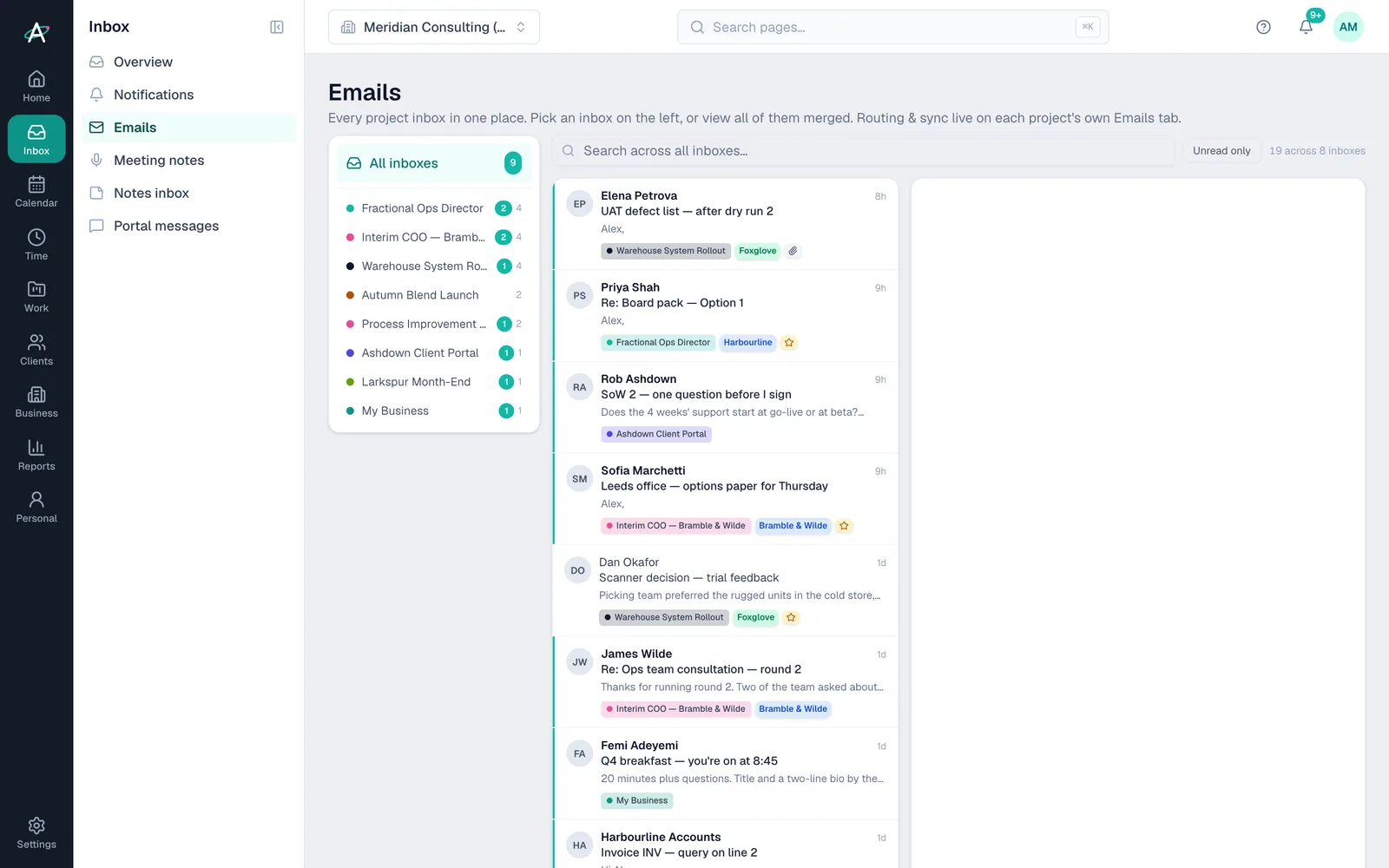
Ambital Emails: every project's inbox listed on the left with unread counts, and all of them merged on the right, each thread tagged with its project and client

On a project

The client's whole story in one place

  • Every email thread with that client's people, next to the tasks and money it relates to
  • Every meeting from any connected calendar, with its transcript from your notetaker
  • Turn an email that contains work into a task, with a link back to the thread
  • Ambi reads the same emails and meetings when you ask it about the project
  • Clients never see the Emails tab; it is yours

In the Inbox

Everything, before it is filed

  • Notifications, email and meetings from every account in one place
  • Pick one project's inbox, or read all of them merged
  • Meeting notes waiting to be filed, with a one-click assign
  • Your own business's mail kept under your internal project
  • Personal accounts stay personal and never sync into client work

How it works

Every account in one place in four steps

  1. Step 1: Connect each account

    Settings, then Integrations, then Connect on Google or Microsoft. Sign in and you are back. Repeat for the next account, on any domain.

  2. Step 2: Choose what each account shares

    Calendar, mail, Drive and files are separate toggles per account, so a personal account can share only its calendar.

  3. Step 3: Say whose account it is

    Personal, your business, or a client. A project only ever sees your own accounts plus its client's, never another client's.

  4. Step 4: Let the rules file it

    One domain rule per client project does most of the work. Add subject keywords, exclusions, label filters or a catch-all for a dedicated mailbox.

Inside the unified inbox

What lands where

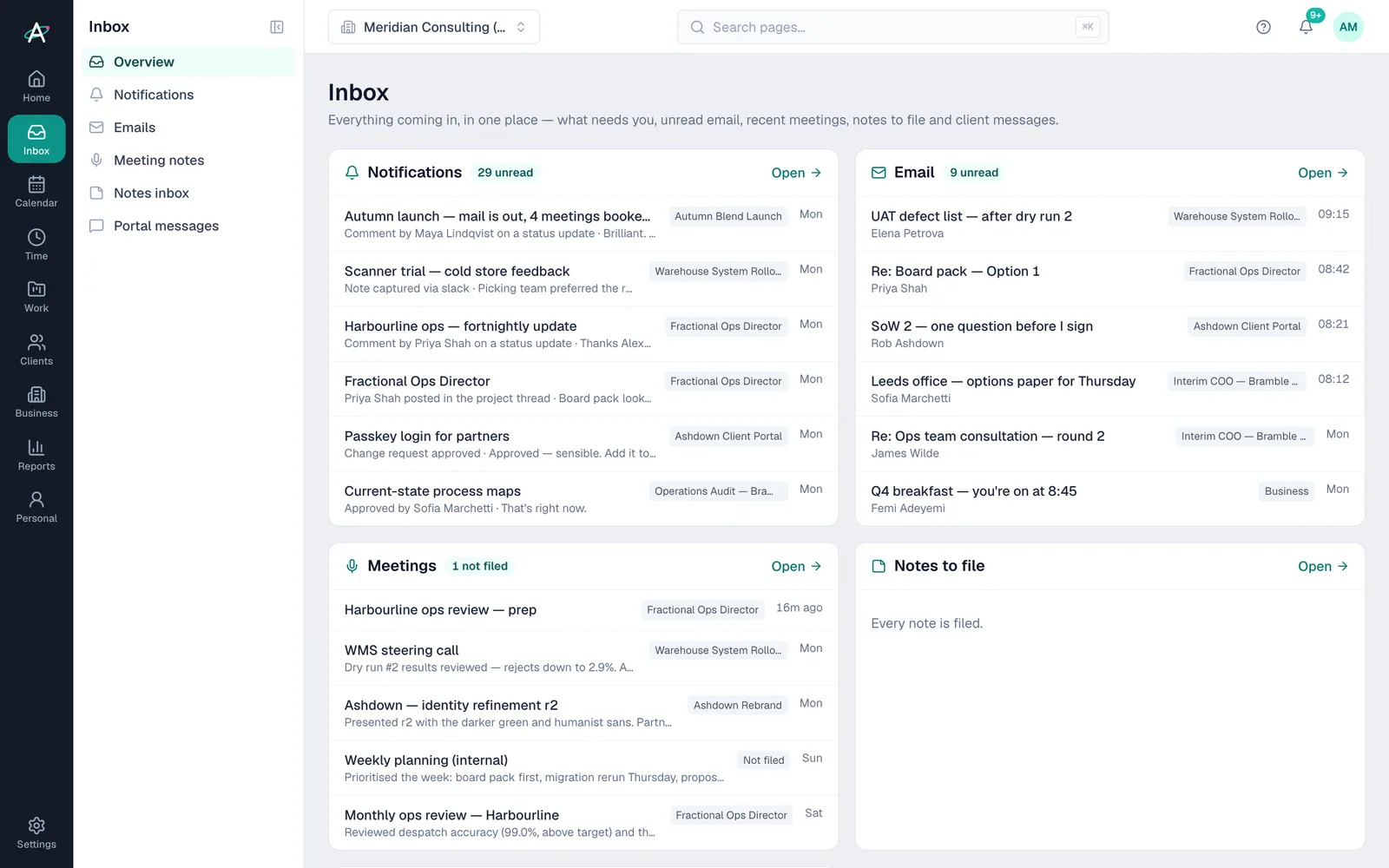
Ambital Inbox: notifications, unread email, recent meetings and notes to file, each tagged with its project

The Inbox

What needs you, unread email, recent meetings, notes to file and client messages, each tagged with its project, whichever account it came in on.
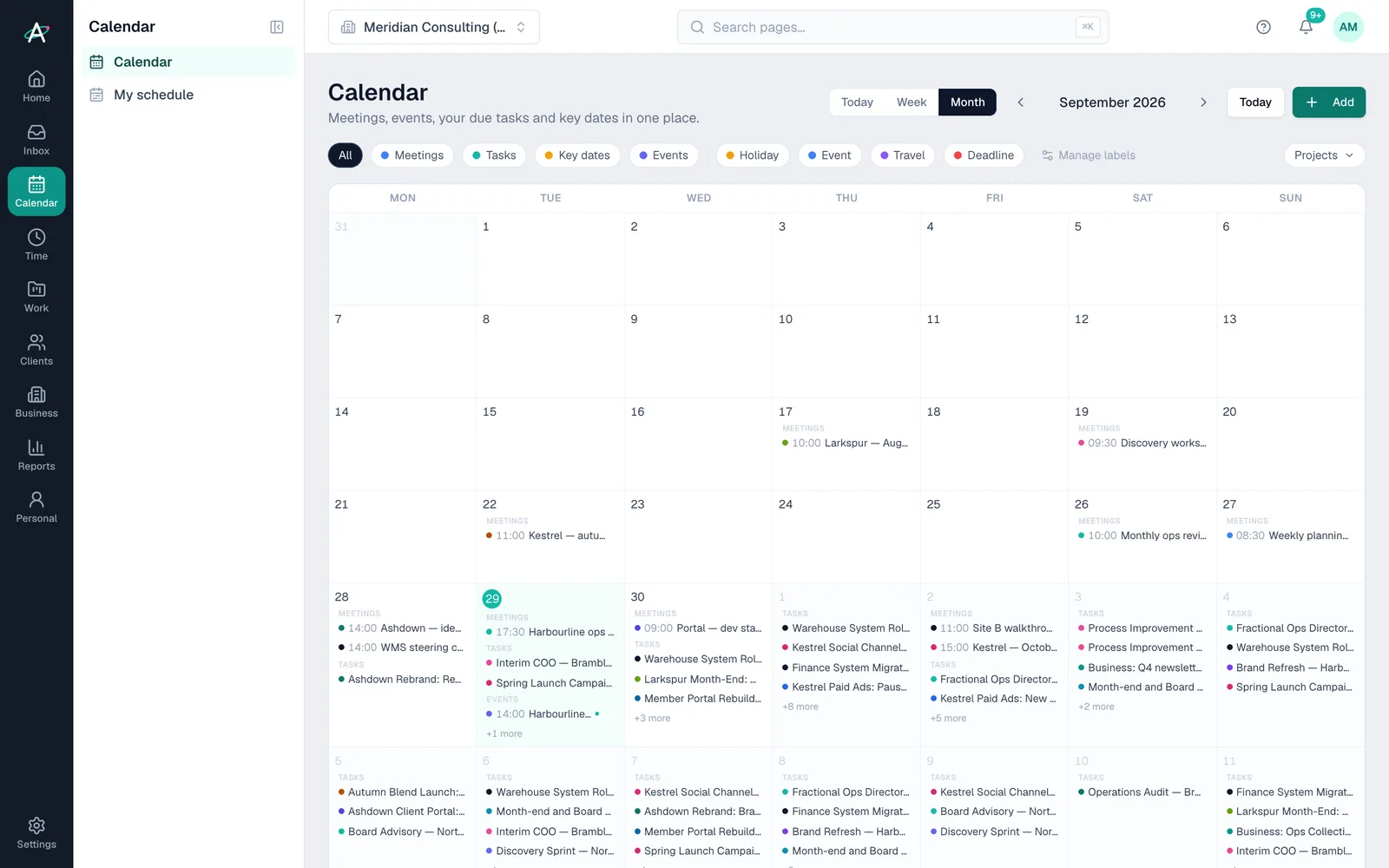
Ambital calendar: a month of client meetings, tasks and key dates from every connected account

One calendar

Every meeting from every connected calendar in a day, week or month view, each linked to its project, with Calendly bookings alongside and your own planned time around them.

Routing rules

Domain rules, subject keywords, exclusions, label filters and a sync-all catch-all for a dedicated project mailbox. Every project's rules on one settings page, with a scan to re-file what already synced.

Client-issued mailboxes

The Microsoft 365 or Google account a client gives you connects like any other. Their IT team can read what Ambital asks of their tenant on the page for IT admins.

Meeting notes and transcripts

Transcripts from your notetaker follow their meeting to the project every hour. Anything the rules cannot place waits on Meeting Notes for a one-click assign.

Personal, business or client

Every connection has one owner. Personal mail and calendar never reach client work or a teammate; a client's account only feeds that client's projects.

Plans

Which plans include the unified inbox

What each Ambital plan includes for the unified inbox
FeaturePro · £39Business · £59Business Pro · £79Teams · £150
Unified inbox and calendar, routing rules and email-to-taskIncludedIncludedIncludedIncluded
3 connected email accounts across Google and MicrosoftIncludedIncludedIncludedIncluded
5 connected accountsNot includedIncludedIncludedIncluded
10 connected accounts (15 on Teams), and £5 a month for each extra one on any planNot includedNot includedIncludedIncluded
Meeting transcripts from your notetaker, routed to the projectIncludedIncludedIncludedIncluded

Compare every feature by plan →

Questions about the unified inbox

Before you connect a second account

How many accounts can I connect?
Pro includes 3 connected email accounts, Business 5, Business Pro 10 and Teams 15, counted across Google Workspace and Microsoft 365 together. Any plan can add more at £5 a month per account, and remove them again at any time.
Can I connect the email account a client gave me?
Yes. A client-issued Google Workspace or Microsoft 365 account connects alongside your own, on its own domain. Mark it as that client's account and only their projects see it. The page for IT admins explains what Ambital asks of their tenant.
Does Ambital show my whole inbox?
No. A project shows only the threads involving its people, and only mail from accounts whose email service you switched on. Everything else stays in your mail app. Nothing is deleted or moved there.
What about my personal email and calendar?
Mark the account as Personal. Its mail and meetings show only to you, in your Personal workspace, and never sync into client work or reach a teammate.
What if an email is filed to the wrong project?
Fix the rule on Settings, then Email routing: every project's rules are on one page. Add an exclusion for the false positive, or a subject keyword where one client has two projects. For meetings, run a scan to re-file what has already synced.
Which calendars and notetakers work?
Google Calendar and Outlook, including Teams meetings. Calendly bookings appear alongside. Transcripts come from Fireflies today, with Granola and Otter in build.

What you are looking at

  1. The Emails page lists every project's inbox on the left, with unread counts, and all of them merged on the right.
  2. Each thread carries the project it was filed to and the client it is with, whichever connected account it arrived in.
  3. A question about a SoW from Ashdown sits next to a UAT defect list from the warehouse rollout and a board pack from Harbourline.
  4. Your own business's mail is there too, under My Business, so company admin stays apart from client threads.

Stop checking four inboxes before breakfast

Ambital is in private beta. Apply to test and you'll get in first, with free months at launch for committed testers.

14 days free on Business Pro · No card required · Built in the UK