Ambital

Client portal · Work area

A branded client portal for consultants and small teams

Ambital's client portal gives each client one private, invitation-only place for their project: status updates, approvals, tasks and milestones, risks, files, invoices and messages. You choose what they see, item by item, and it carries your brand.
From Pro · £39/monthMore in Work
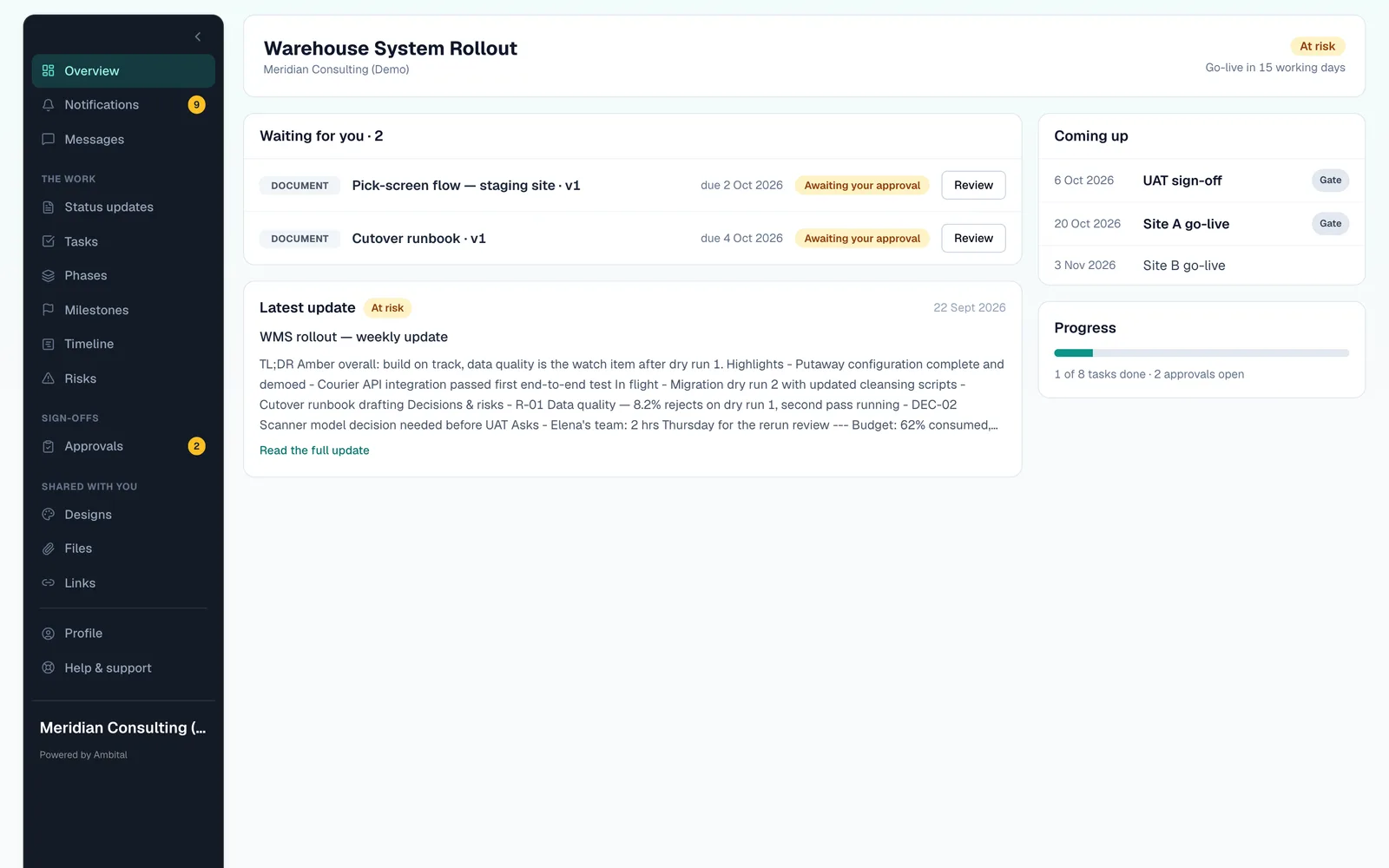
The client's view of the Warehouse System Rollout portal: go-live countdown, tasks assigned to the client, risks, decisions and approvals waiting

What your client sees

One link, everything current

  • The latest status update, with the RAG rating and what changed
  • Approvals waiting on them, with versions and comments
  • Their tasks, upcoming milestones and the go-live date
  • Files, agreements and invoices to view or download
  • Messages with you, kept with the project

What you control

Nothing shows until you say so

  • Turn the portal on per project, then choose which tabs it shows
  • Show or hide individual phases, sections and tasks
  • Invite each contact to the projects they should see, and no others
  • Publish a status update when it's ready, not when you save it
  • Your logo and colours; remove Ambital's name on Business Pro

How it works

Live for a client in four steps

  1. Step 1: Turn it on for a project

    Switch on the Client Portal tab and pick which tabs the client can see.

  2. Step 2: Choose what is visible

    Hide internal phases, sections or tasks. Everything else appears as you work.

  3. Step 3: Invite the client

    Each contact gets an invitation to the projects you choose, and sets their own password.

  4. Step 4: Publish as you go

    Status updates, approvals and invoices appear in the portal when you publish them.

Inside the client portal

Everything a client asks you for, before they ask

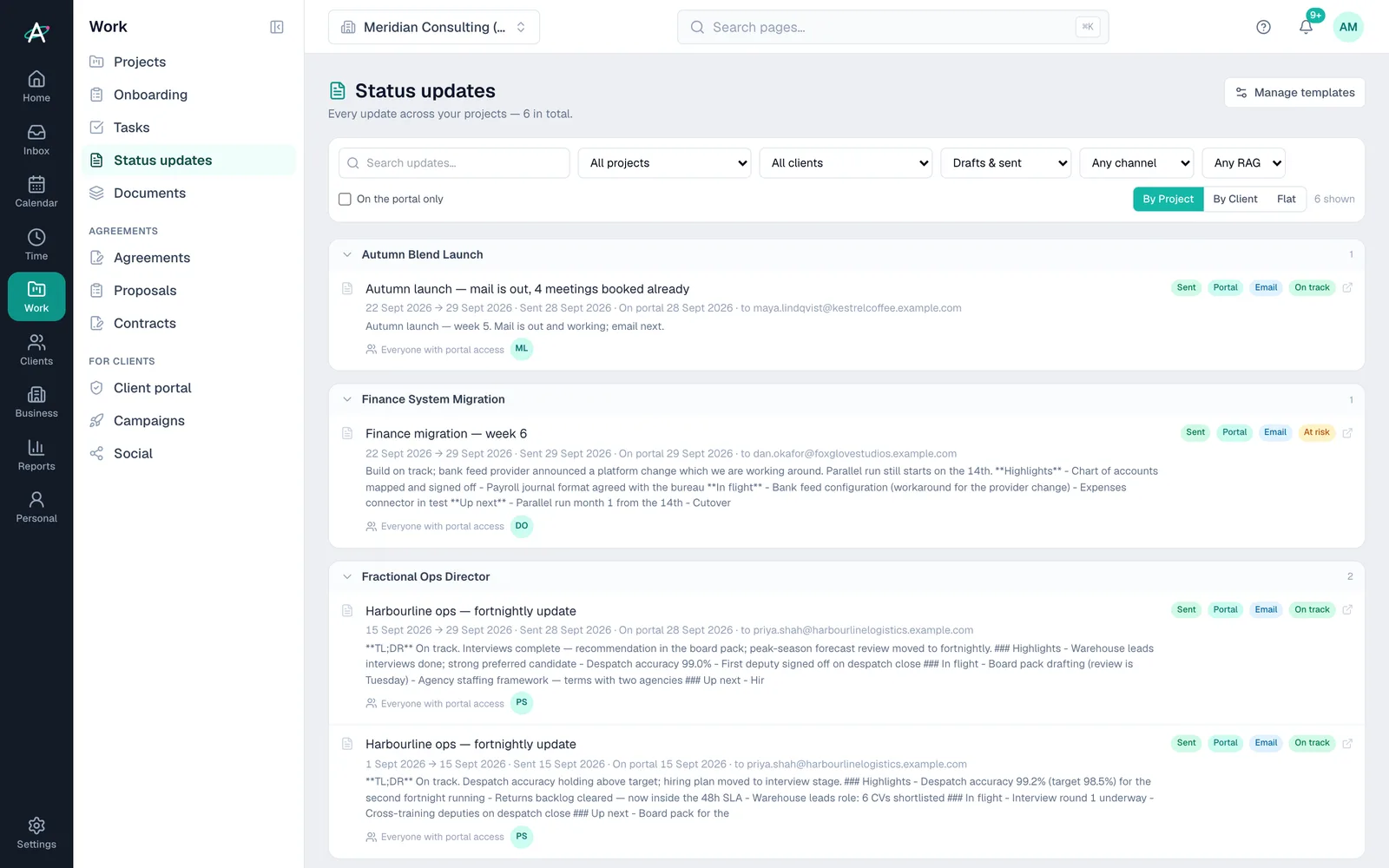
Ambital status updates: fortnightly and weekly updates grouped by project, each marked sent, on the portal, emailed and on track or at risk

Status updates

Write once, publish to the portal, and email it too if you like. Past updates stay in order.

Approvals

Versions, side-by-side compare and pinned comments, with every decision logged.

Tasks and milestones

What the client owes you, what's next and the go-live countdown in working days.

Risks and decisions

Share the risks they need to know about and record decisions as they are made.

Files, agreements and invoices

Signed agreements, working files and invoices to view online or download as PDF.

Messages

Conversations with the client stay with the project, not in your personal inbox.

Plans

Which plans include the client portal

What each Ambital plan includes for the client portal
FeatureFree · £0Pro · £39Business · £59Business Pro · £79Teams · £150
Send work for sign-off, with versions and compareNot includedIncludedIncludedIncludedIncluded
Clients approve from an email link, no loginNot includedNot includedIncludedIncludedIncluded
Approvals in rounds: one group signs off, then the nextNot includedNot includedNot includedIncludedIncluded
Client portal per project, with status updates and approvalsNot includedNot includedNot includedIncludedIncluded
Remove Ambital branding (white-label portal)Not includedNot includedNot includedIncludedIncluded

Compare every feature by plan →

Questions about the client portal

Before you invite a client

Do clients need to pay for an account?
No. Clients are invited to their projects for free and set their own password. They only ever see the projects you invite them to.
Can I hide internal work from the client?
Yes. You choose which tabs the portal shows, and you can hide individual phases, sections and tasks.
Can clients approve work in the portal?
Yes. Approvals show every version with side-by-side compare and pinned comments, and clients can also approve from an email link.
Can I remove Ambital's branding from the portal?
Yes, on Business Pro and Teams. The white-label portal shows only your brand.
Which plan includes the client portal?
The client portal is included on Business Pro and above: Business Pro (£79 a month) and Teams (£150). Clients can approve work from an email link on Business and above.

A client's first visit, step by step

  1. The client opens the invitation email and sets a password.
  2. The portal opens on their project: the working days left to go-live, and the Go/No-Go gate already passed.
  3. They open the waiting approval, compare version 1 and version 2, and approve.
  4. They read Friday's status update and download last month's invoice.

Give your next client a portal they'll actually open

Ambital is in private beta. Apply to test and you'll get in first, with free months at launch for committed testers.

Free plan · No card required · Built in the UK