Marketing · Social media management
Client approvals and retainers for social media managers
For social media managers, content freelancers and small content studios. Monthly content for a client is a retainer with a calendar inside it. Plan the posts, get them approved in the portal, schedule them, and show the client what went out.
Needs Business or above · Designs with Canva from pro
How it's soldSold as a monthly retainer with an agreed number of posts, from a retainer statement of work.
What you get
Pick “Social media management” and this is set up for you
When you create a project, Ambital asks what it's for. The answer sets the billing model, the phases and the tabs. Change any of it, or save your own version as a template.
How project setup works →Social media management
A content calendar, approvals and posting on the client's behalf.
Phases
- Onboarding
- Content calendar
- Live
Tabs switched on
- Overview
- Financials
- Tasks
- Time
- Phases
- Campaigns
- Designs
- Approvals
- Client Portal
- Calendar
- Social
The setup also asks how the client signs off: in the portal, or by emailed link for clients who'd rather not log in.
How it runs
Social media management, run through Ambital
Plan the month, approve the posts
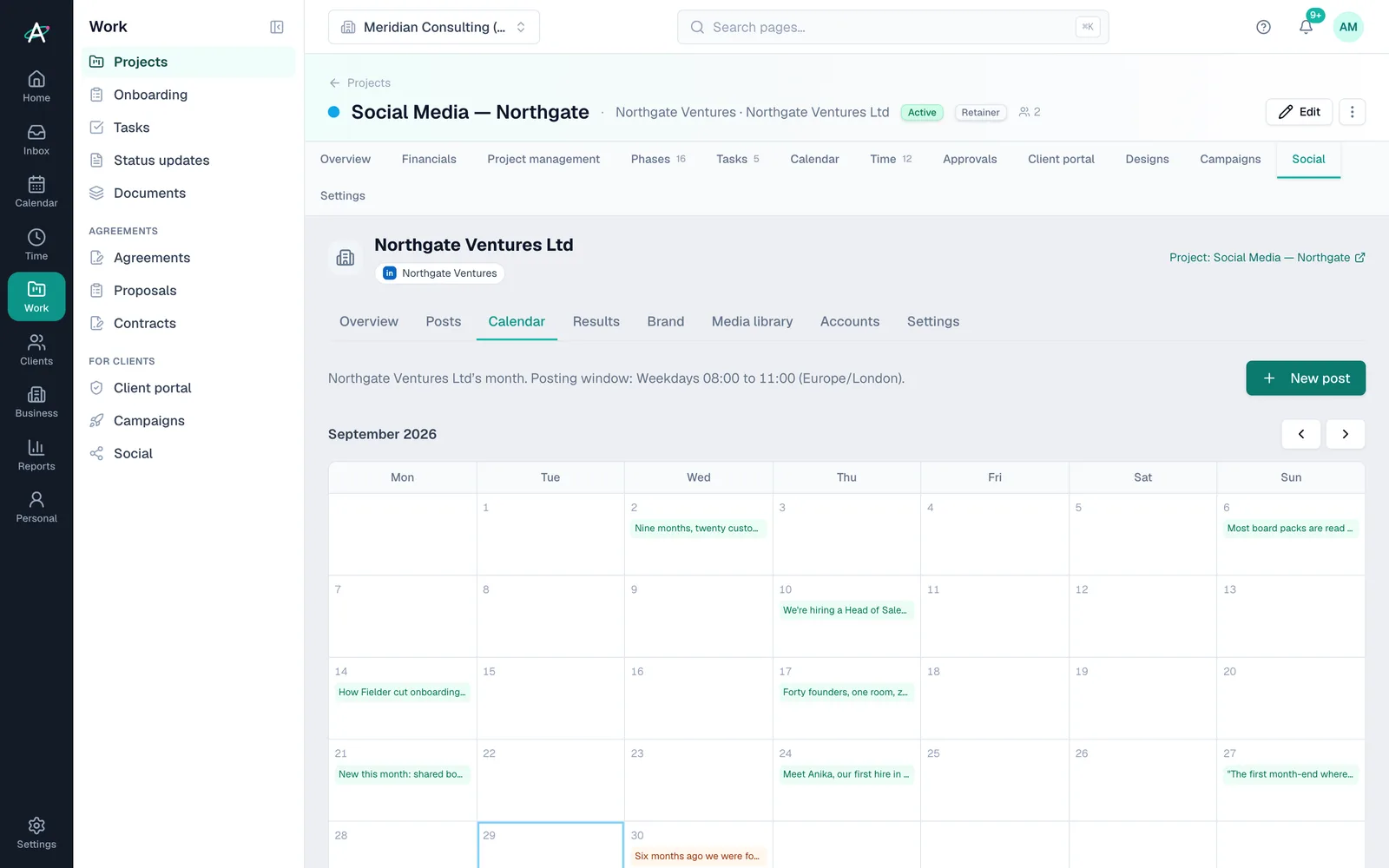
Posts by channel and date on the client's content calendar. The client approves them in the portal, with the design attached.
- Content calendar per clientFrom Business
- Client approvalsFrom Business
- Canva linksFrom Pro
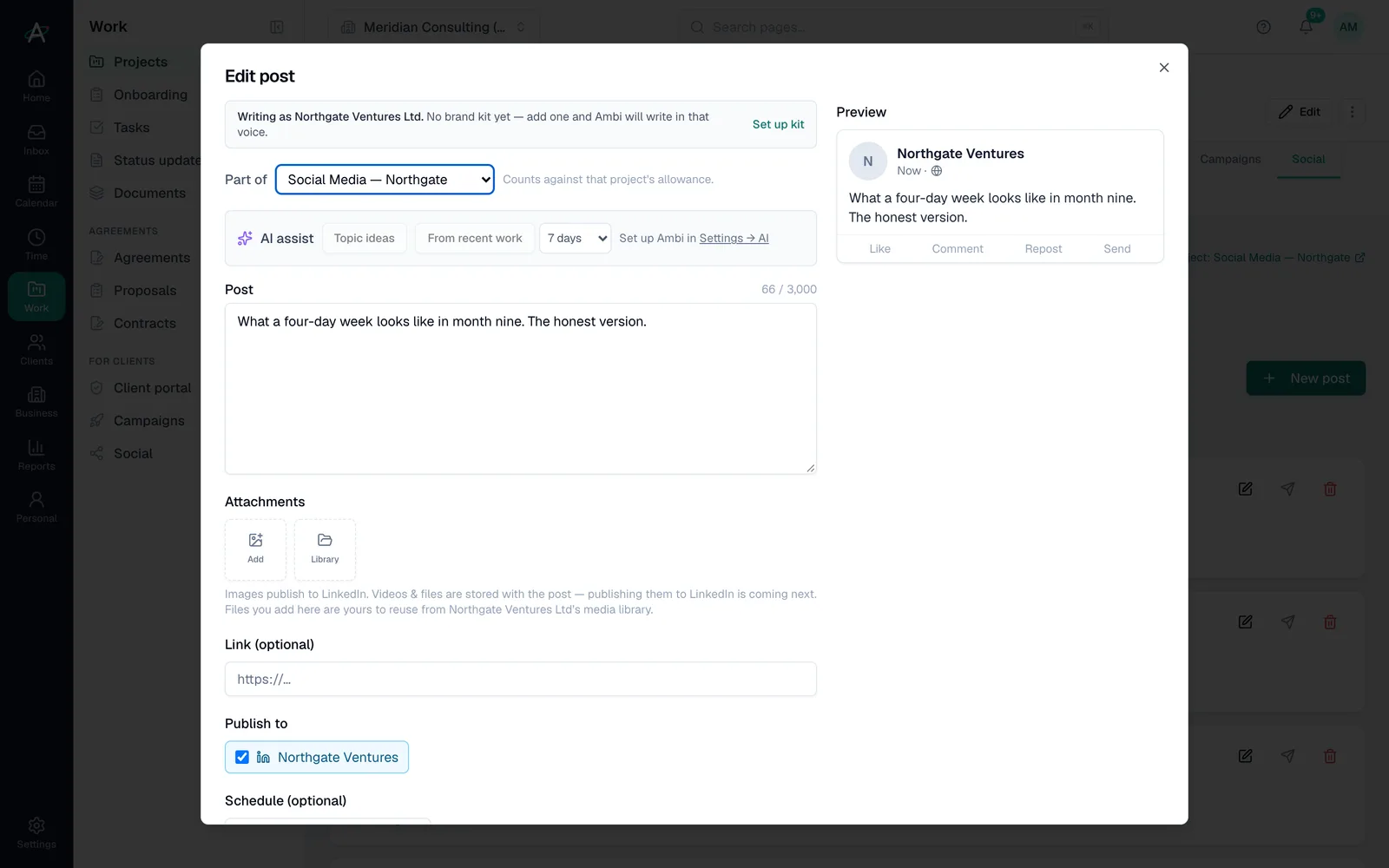
Schedule LinkedIn from the same place
Queue LinkedIn posts, drafted with the AI composer in the client's tone of voice if you like, and never auto-publish anything the client hasn't seen.
- LinkedIn schedulingFrom Business
- AI composer in their tone of voiceFrom Business
- Never auto-publishFrom Business
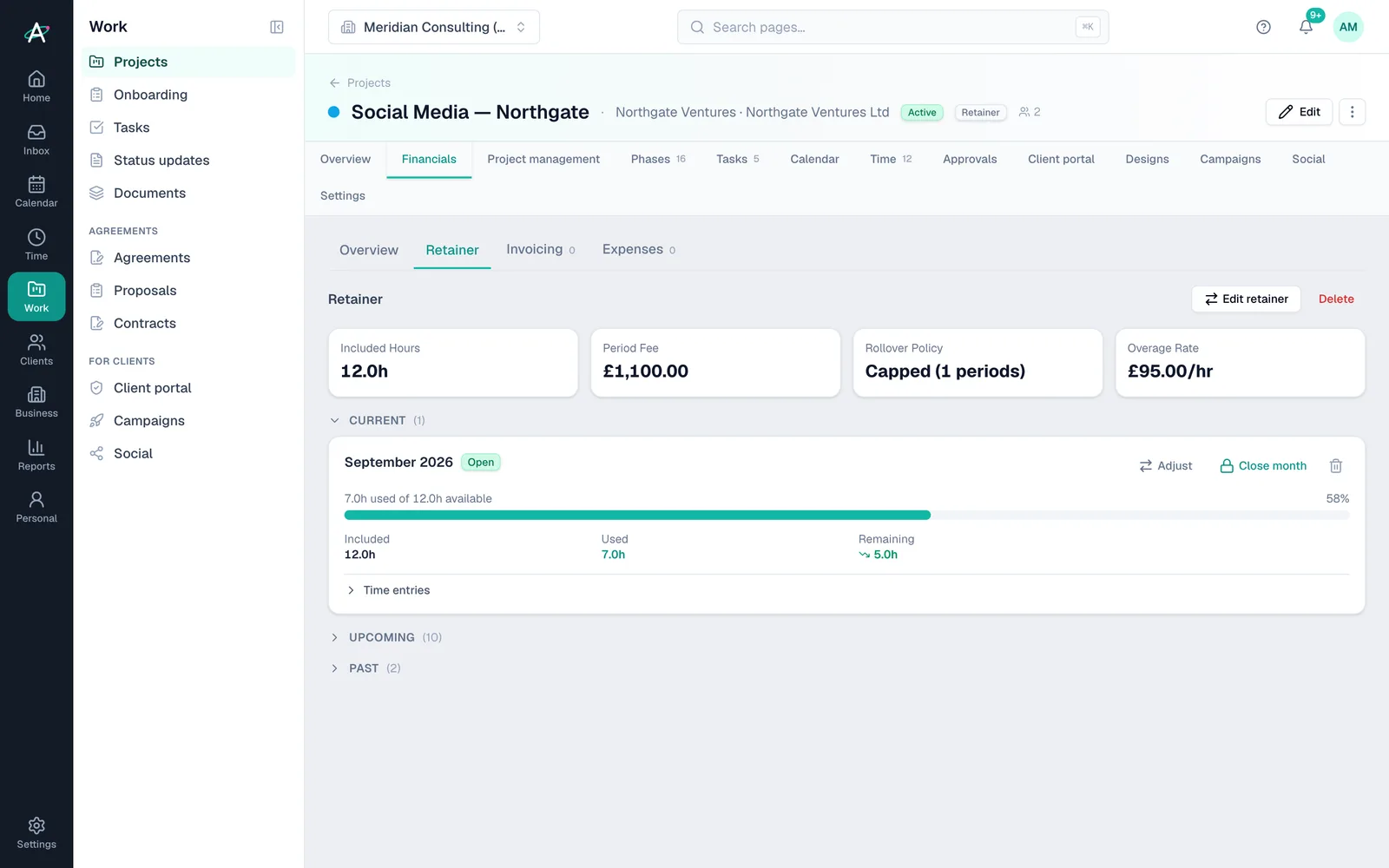
The retainer stays honest
Hours against the monthly retainer, rollover if the agreement allows, and a recurring invoice at the start or end of each period.
- Retainer periodsEvery plan
- RolloverFrom Business
- Recurring invoicesEvery plan
Start to finish
A month of content for a coffee roaster
- Week 1Plan the monthTwelve posts on the client's calendar, drafted in their tone of voice.
- Week 1ApprovedThe client approves the batch from their phone. Changes come back as comments.
- WeeklyScheduledLinkedIn posts queue up. Nothing goes out that the client hasn't seen.
- Month endResultsEach post's results are recorded for the monthly report.
- Month endInvoiceThe retainer invoice goes out; hours over the allowance show up before they're a surprise.
Client names are fictional, from Ambital's demo organisation.
Everything it uses
The features, and the plan each needs
Each links to a step-by-step guide in the help centre.
- RetainersEvery plan
- Rollover of unused hoursFrom Business
- Social calendar, LinkedIn scheduling and AI composerFrom Business
- Client approvalsFrom Business
- Brand kit and tone of voiceFrom Business
- Designs with CanvaFrom Pro
- Mailchimp reportingFrom Business
Works with Google Workspace, Microsoft 365, Slack, Canva, LinkedIn, Mailchimp. Every integration →
Social media management questions
Straight answers
- Which networks can I schedule to?
- LinkedIn today. Plan and approve posts for any channel on the calendar.
- Can the client approve posts without logging in?
- Yes. They can approve in the portal or from an emailed link.
- Does anything post automatically?
- Only what you schedule. Ambital never publishes a post the client hasn't approved.
- Which plan do I need?
- It needs Business (£59 a month) or above. Prices exclude VAT.
Often run alongside
Who runs social media management
Be first in when we launch
Ambital is in private beta. Apply to test and you'll get in first, with free months at launch for committed testers.
Free plan · No card required · Built in the UK