Ambital

For operations and transformation consultants

Client and project management for operations consultants

Ambital gives operations and transformation consultants one place to run audits, embedded roles and delivery projects for several clients: onboarding plans, evidence gathered through the portal, reports signed off, each client's inbox and calendar on one login, and meeting actions turned into tasks.

Most operations consultants choose Business · £59/month

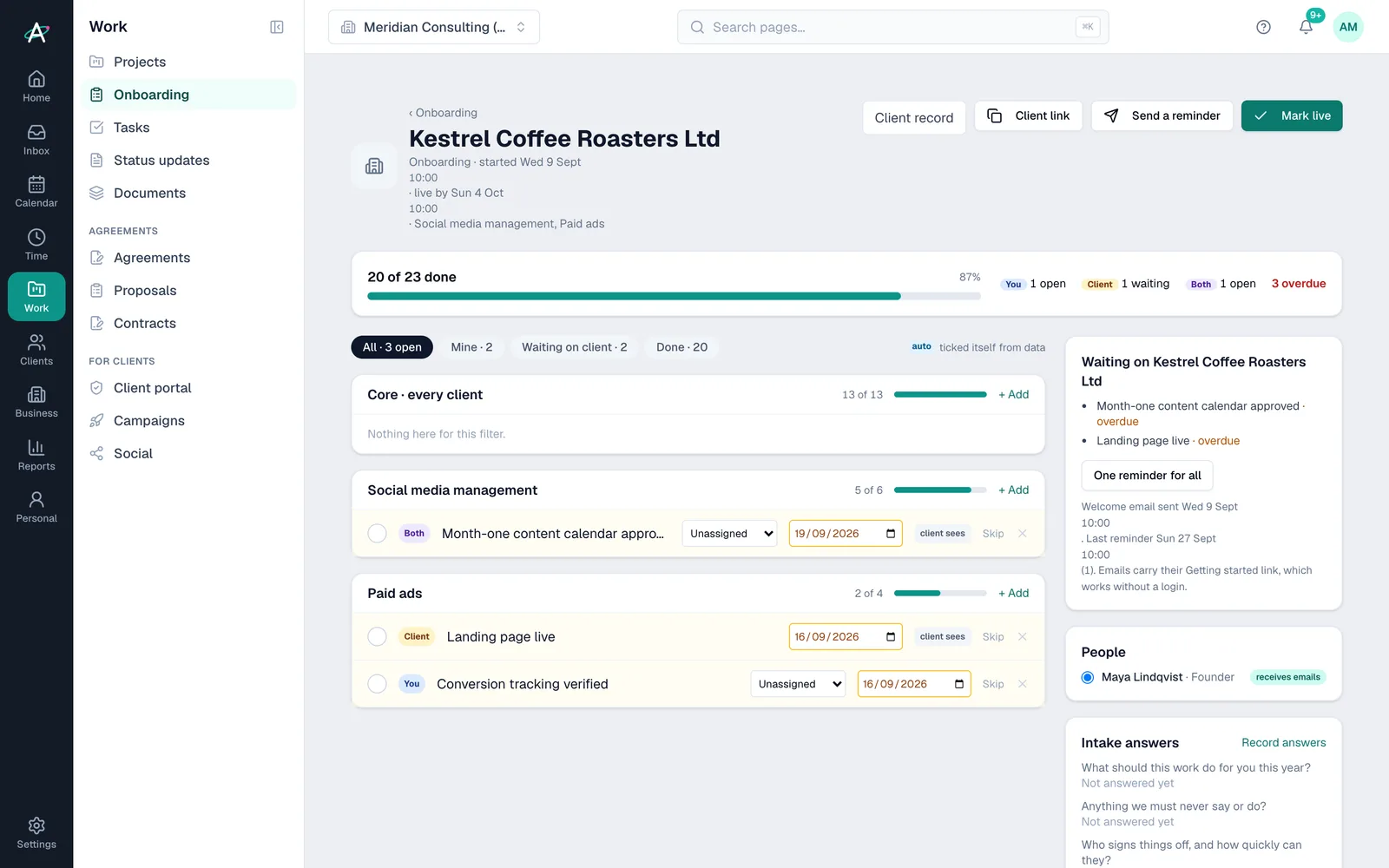
A client onboarding plan in Ambital: 20 of 23 items done, split by who owns them, with what the client still owes

Sound familiar?

Where operations engagements usually stall

“Evidence arrives in six attachments over three weeks.”

Assign the requests to the client in the portal. They see their tasks and upload files where you ask, and meeting transcripts file themselves to the project.

Audits and assessments →

“Half the job happens in the client's own mailbox.”

Connect the Google Workspace or Microsoft 365 account the client gave you alongside your own. Email and meetings file to the right project and never mix between clients.

Client-issued accounts →

“Actions from the workshop never become anyone's job.”

Transcripts from your meeting notetaker file to the project. Ambi lists the actions and you turn them into tasks with owners and dates.

Meeting notes →

What you'll use

The features operations consultants open first

Everything else in Ambital is there when you need it. These are the features that matter from week one.

A client onboarding plan in Ambital: 20 of 23 items done, split by who owns them, with what the client still owes

Client onboarding

From Business

A plan for each new client built from modules for the kind of work, with owners, due days and the items the client ticks off.

More on Client onboarding →

Audits from a template

From Business

Kick-off, evidence, analysis, report and playback as phases. Save your version as a template and every audit starts ready.

More on Audits from a template →
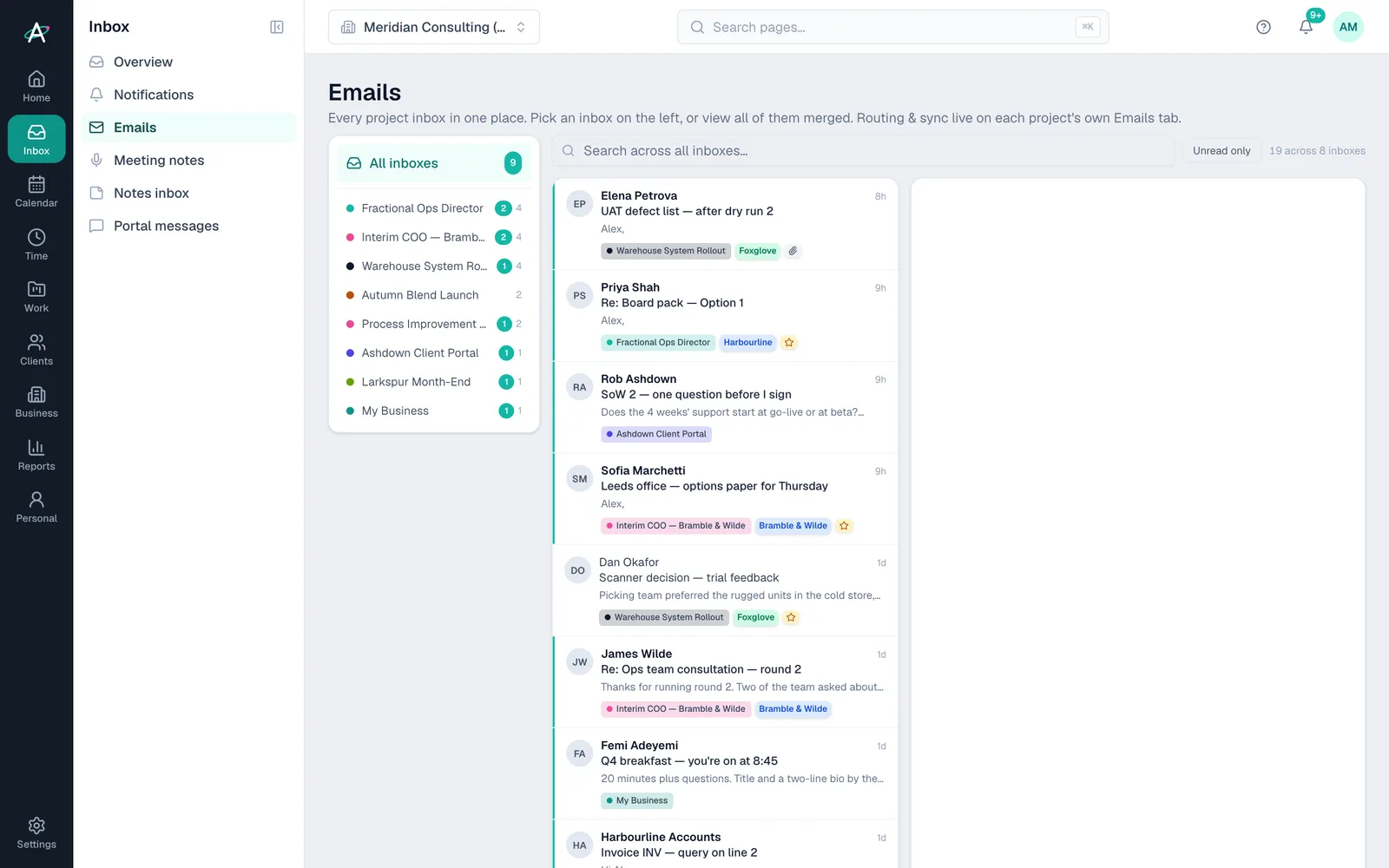
Ambital Emails: every connected inbox in one list, each email tagged with its project

Unified inbox

Every plan

Every connected account in one list, client-issued mailboxes included, with each email filed to its project.

More on Unified inbox →

Approvals

From Business

Send the report for sign-off with a version on record. The client approves from an email link, or in the portal on Business Pro and above.

More on Approvals →
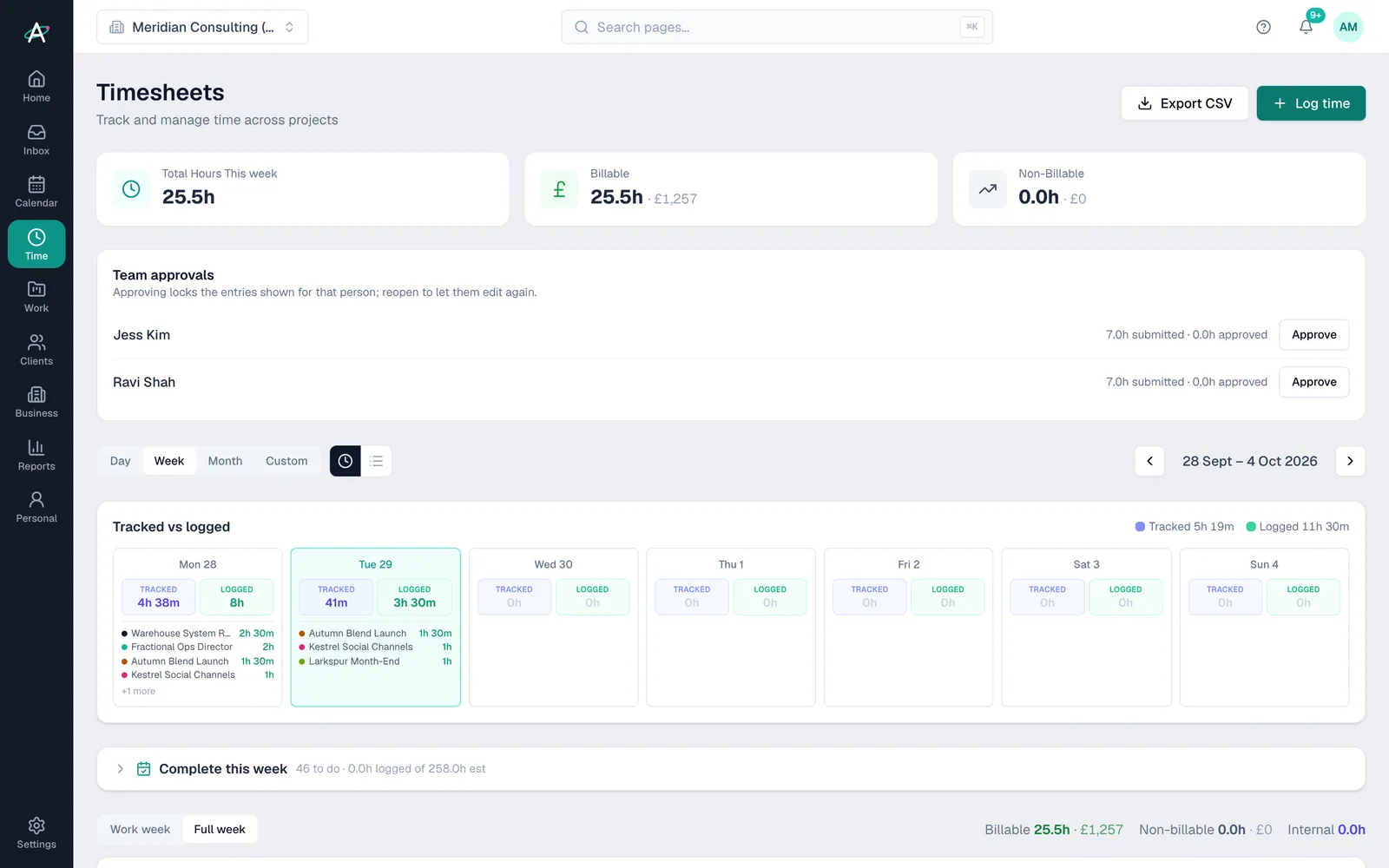
Ambital Timesheets: tracked and logged hours for the week, by project and day

Timesheets

Every plan

Log days or hours against each engagement, and invoice from them at the frequency you agreed.

More on Timesheets →

A week in Ambital

An audit, an embedded day and a new client, in one week

  1. MondayAmbi's briefThe Bramble & Wilde audit is in evidence week, two client requests are overdue and Kestrel's onboarding is three items from done.
  2. TuesdayEmbedded dayA day inside Harbourline's own mailbox and calendar, from your login, with every email filed to the engagement.
  3. WednesdayWorkshopThe process workshop transcript files to the audit. Ambi lists seven actions and you turn five into tasks.
  4. ThursdayReportThe findings report goes for sign-off. The client approves it, and the follow-on work goes into the pipeline as a deal.
  5. FridayHours and invoicesLog the week's days across three clients. The day-rate invoice for Harbourline is ready to send.

Client names are fictional, from Ambital's demo organisation.

Set up for your kind of work

Start a project from what it's for

Choose one of these when you create a project and Ambital sets the billing model, tabs, phases and integrations for you.

Operations and transformation questions

Straight answers

Can I use a client's own email account in Ambital?
Yes. Connect the Google Workspace or Microsoft 365 account a client issued you alongside your own. Free includes 2 connected accounts, Pro 3, Business 5 and Business Pro 10.
Will my client's IT team need to approve the connection?
Sometimes. Some Microsoft 365 and Google Workspace tenants only let an administrator allow a new app, and our page for IT admins sets out what Ambital asks for.
How do client onboarding plans work?
Each new client gets a plan built from modules for the kind of work you do. Every item has an owner and a due day, and the client ticks off their items from an emailed link, or in the portal on Business.
Which plan do operations consultants choose?
Most choose Business at £59 a month, because it includes the client portal, approvals and project templates. Pro at £39 suits you if you mainly need meeting notes and connected inboxes.
Can I run every audit the same way?
Yes, on Business and above. Save an audit as a project template with its phases, request list and report tasks, and start each new audit from it.

Be first in when we launch

Ambital is in private beta. Apply to test and you'll get in first, with free months at launch for committed testers.

Free plan · No card required · Built in the UK