Marketing · Marketing campaigns
Campaign management for marketing consultants
For fractional CMOs, marketing consultants and freelance campaign managers. A campaign is a project with a launch date and a result. Ambital gives it deliverables per channel, client sign-off on the creative, tracking links, and results the client can see.
Needs Business or above · Designs with Canva and Figma from pro
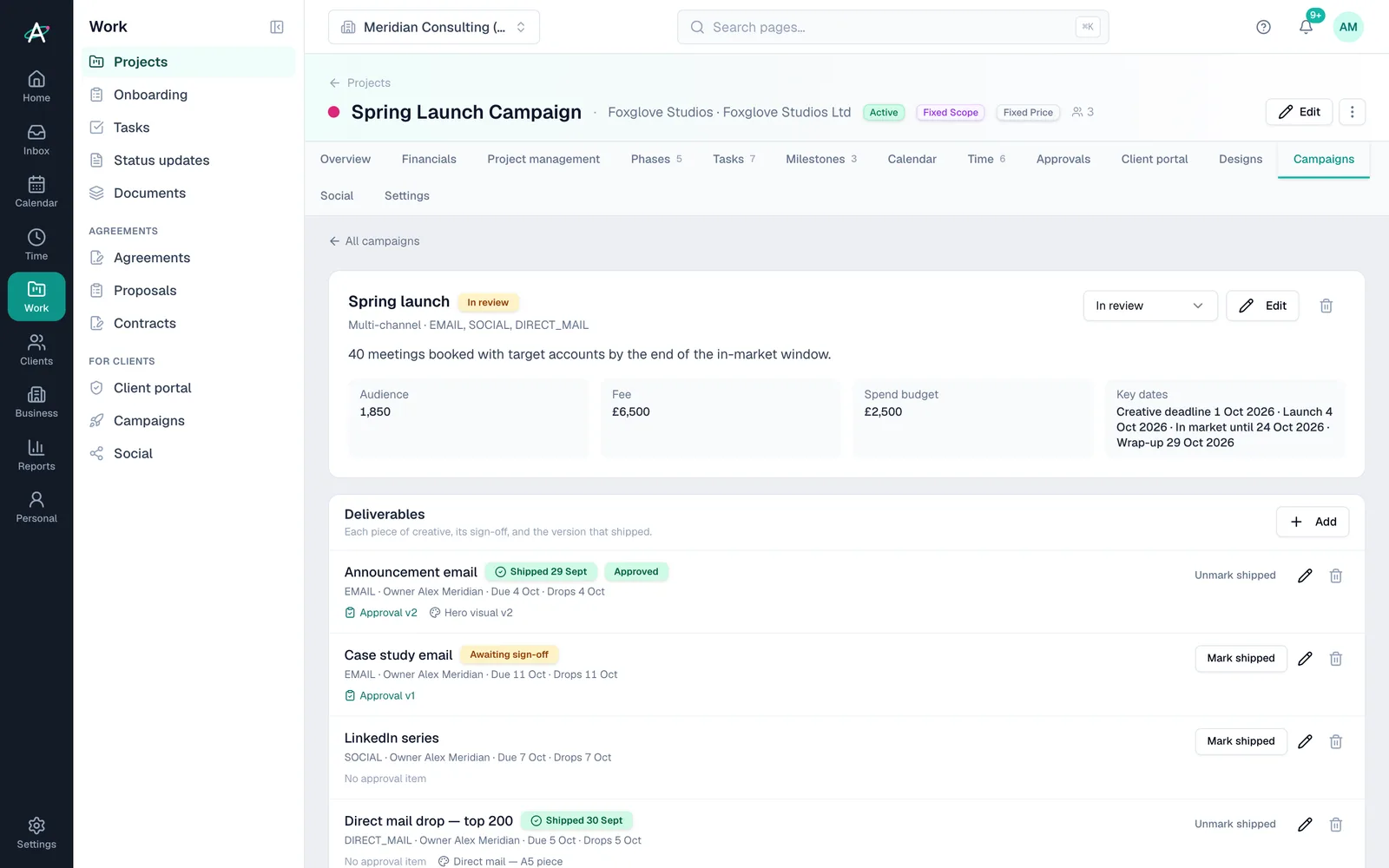
How it's soldSold as a fixed-fee campaign, or a series of them, from a proposal with the media budget kept separate.
What you get
Pick “Marketing campaign” and this is set up for you
When you create a project, Ambital asks what it's for. The answer sets the billing model, the phases and the tabs. Change any of it, or save your own version as a template.
How project setup works →Marketing campaign
Creative, sign-off, launch and results for a campaign or a series of them.
Phases
- Brief
- Creative
- Approval
- In market
- Wrap-up
Tabs switched on
- Overview
- Financials
- Tasks
- Time
- Phases
- Campaigns
- Designs
- Approvals
- Client Portal
- Milestones
- Calendar
- Social
The setup also asks how the client signs off: in the portal, or by emailed link for clients who'd rather not log in.
How it runs
Marketing campaigns, run through Ambital
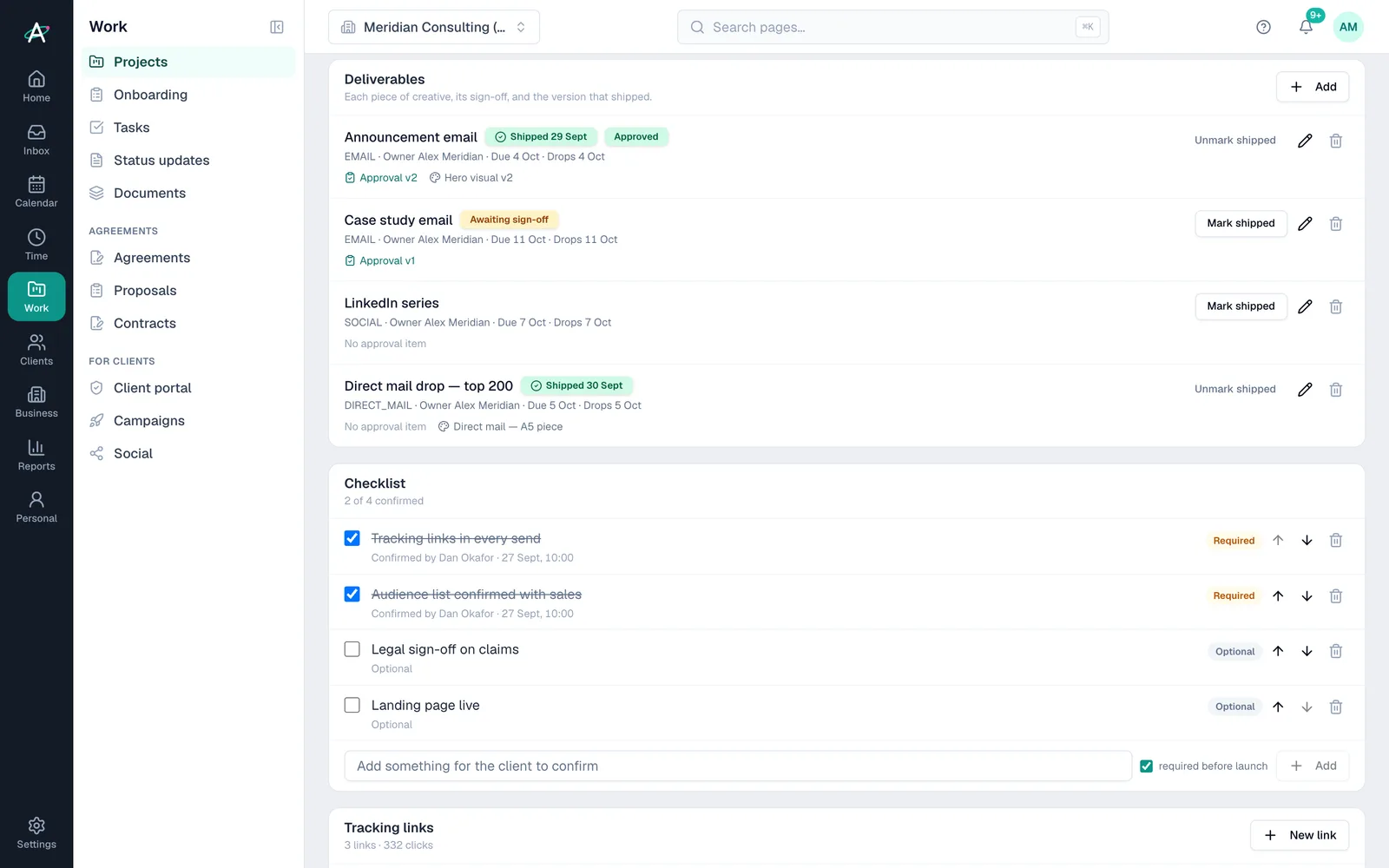
Deliverables per channel, and the version that shipped
Email, social, direct mail, paid, events. Each deliverable has an owner, a drop date and a design attached; the version the client approved is the version on record.
- Campaigns tabFrom Business
- Deliverables with drop datesFrom Business
- Approved version on recordFrom Business
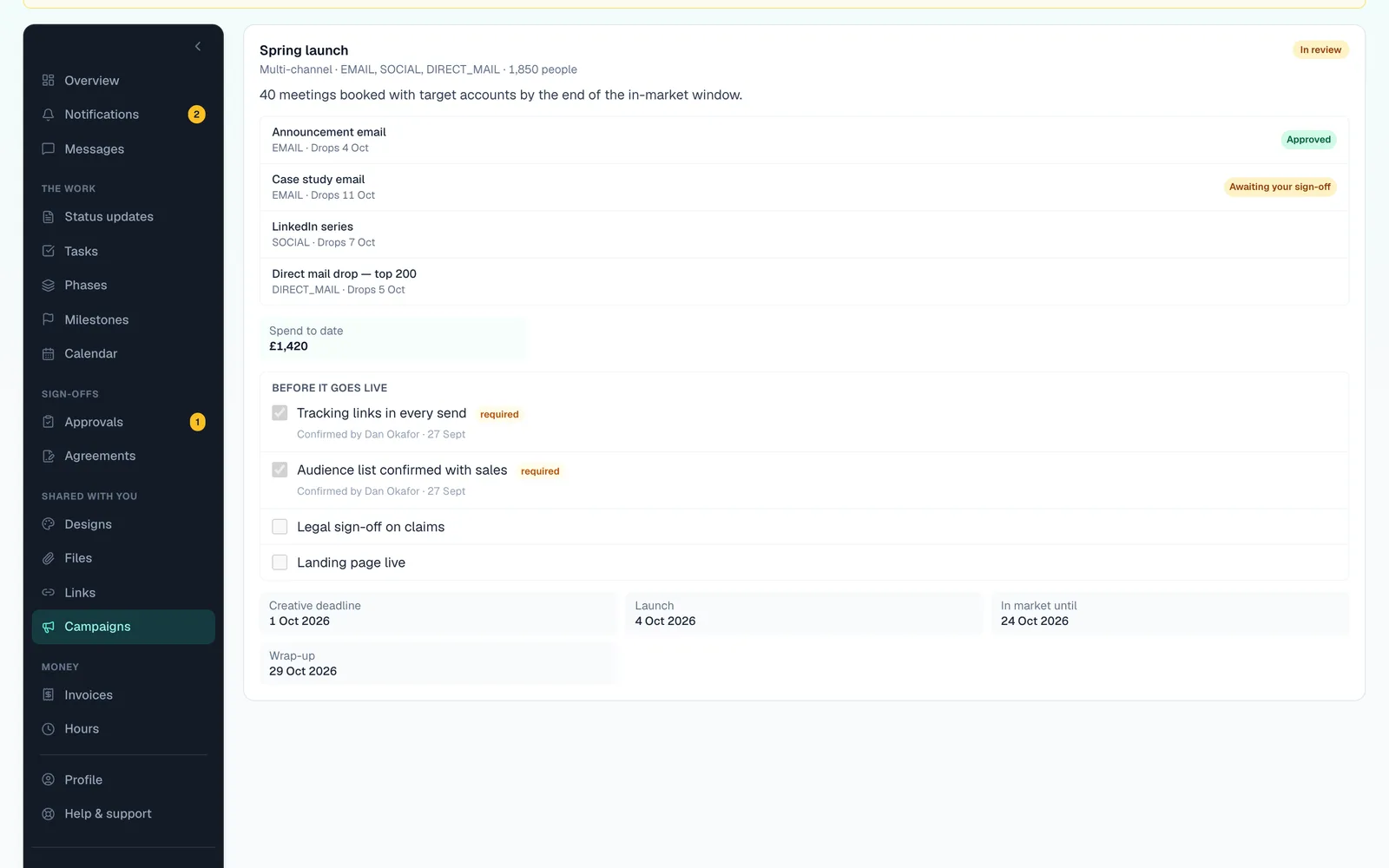
A pre-launch checklist the client ticks
Tracking in place, audience confirmed, legal happy. The client works through the checklist in the portal before anything goes live.
- Client checklistFrom Business
- Approvals by portal or emailFrom Business
- Campaign calendarFrom Business
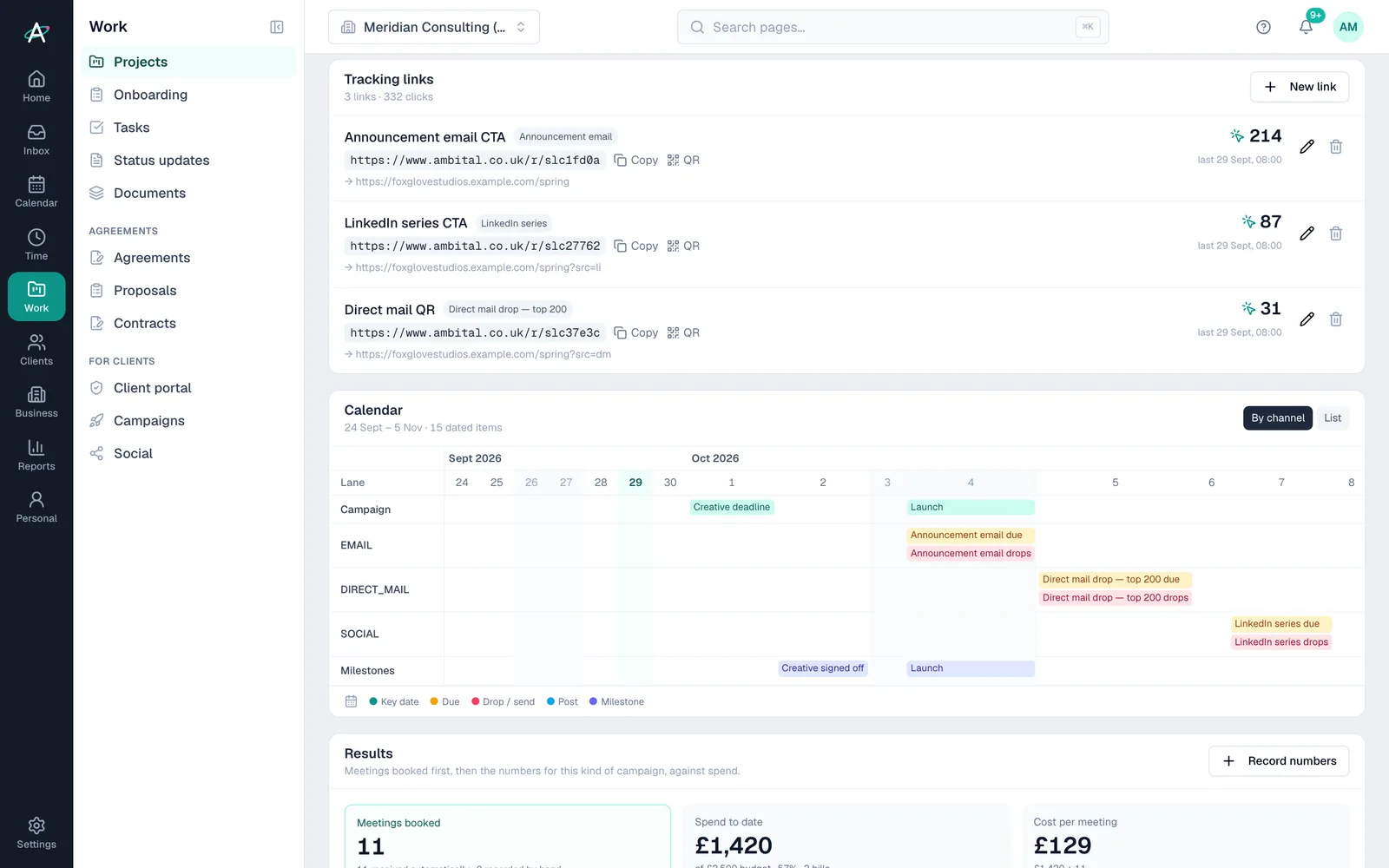
Results, with the links to prove it
Tracking links with live click counts and QR codes, meetings booked first, then spend and results, with Mailchimp sends and opens pulled in.
- Tracking links and QR codesFrom Business
- Results and spendFrom Business
- Mailchimp reportingFrom Business
Start to finish
A spring launch, brief to results
- Week 1BriefObjective, audience, fee and media budget on the campaign. Deliverables set by channel.
- Week 3Creative approvedThe hero visual goes out as an approval. The client compares versions and signs off.
- Week 4ChecklistThe client ticks tracking, audience and legal in the portal before anything goes live.
- LaunchLiveTracking links and QR codes go out. Clicks start counting straight away.
- Week 8ResultsMeetings booked, leads and spend against budget, ready for the report.
Client names are fictional, from Ambital's demo organisation.
Everything it uses
The features, and the plan each needs
Each links to a step-by-step guide in the help centre.
- Phases and milestonesEvery plan
- Campaigns tab with resultsFrom Business
- Client approvals with versionsFrom Business
- Brand kit and tone of voiceFrom Business
- Mailchimp reportingFrom Business
- Designs with Canva and FigmaFrom Pro
Works with Google Workspace, Microsoft 365, Google Drive, Xero, Slack, Canva, Figma, LinkedIn, Mailchimp. Every integration →
Marketing campaigns questions
Straight answers
- Does Ambital send email campaigns?
- No. It reports on Mailchimp campaigns alongside the rest of the work, but sending stays in Mailchimp.
- Are ad platforms connected?
- Not directly. Spend and results are entered, or sent in by webhook, against the campaign.
- Can I run campaigns for my own business too?
- Yes. Campaigns work for a client or for your own business, with the same results tab.
- Which plan do I need?
- It needs Business (£59 a month) or above. Prices exclude VAT.
Often run alongside
Who runs marketing campaigns
Be first in when we launch
Ambital is in private beta. Apply to test and you'll get in first, with free months at launch for committed testers.
Free plan · No card required · Built in the UK