Ambital

Team chat · Work area

Team chat with a channel for every project

Ambital's team chat gives the people in your business one place to talk: a channel for the business, a channel for every live project, direct messages and threads. It sits next to the tasks, files and client portal it is about, so a message becomes a task in one click, and your guests see only their projects.
From Business Pro · £79/monthMore in Work
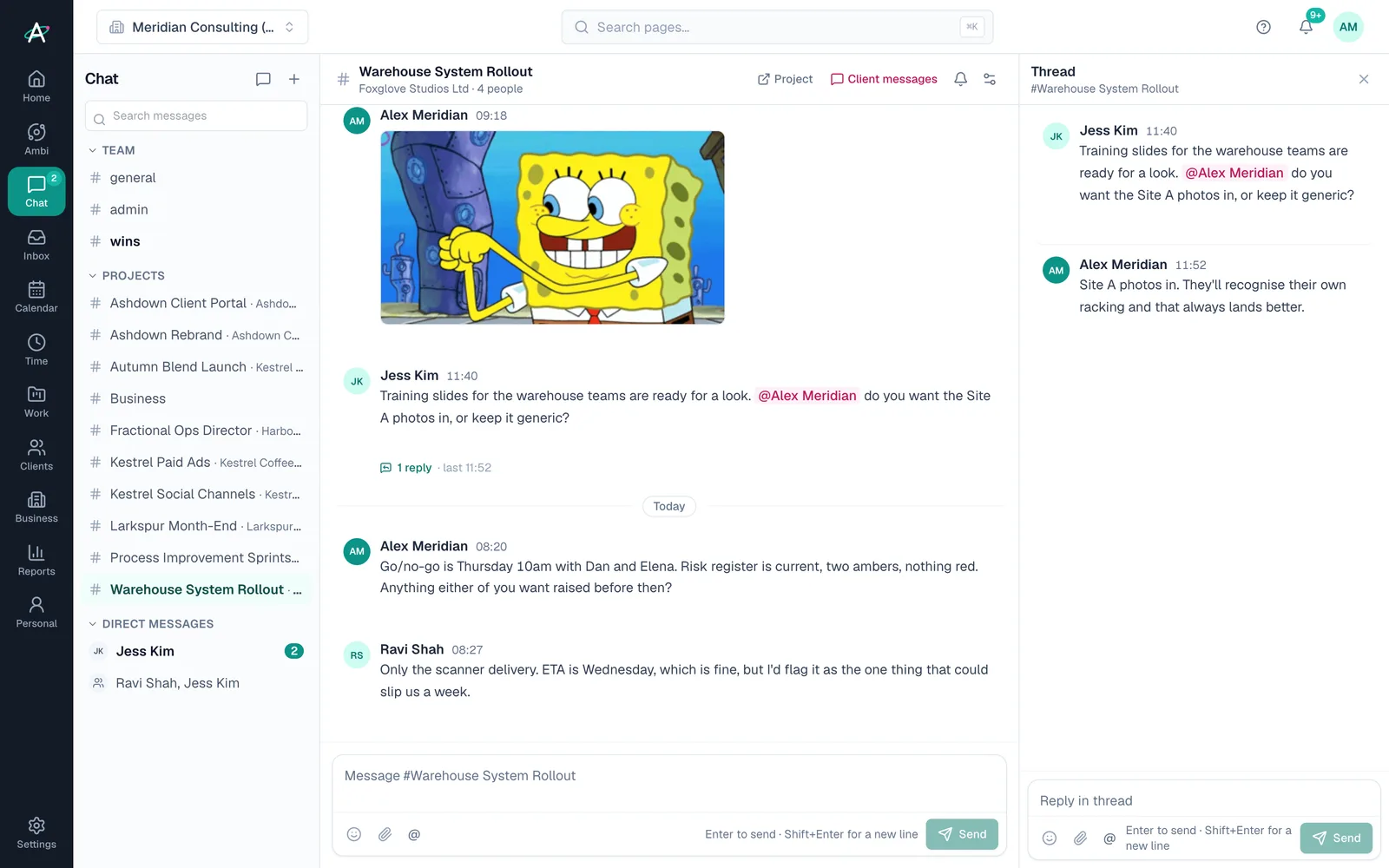
Team chat: the channel list on the left, the Warehouse System Rollout channel with a thread open on the right

Where things get said

Channels that match the work

  • #general for everyone in the business, and topic channels you make
  • A channel for every live project, with the people on it
  • Direct messages, one to one or a small group
  • Threads, so a side conversation stays out of the main stream
  • @mentions and @channel, reactions, files and GIFs

What only Ambital can do

From a message to the work

  • Make a task from any message: the project is filled in from the channel
  • A link to the project's client thread in the portal, kept separate
  • Search every channel you can read, by person, channel or files
  • Guests from other firms see only their projects' channels
  • Nobody reads a direct message they are not in, including the owner

How it works

Talking to your team in four steps

  1. Step 1: Open Chat

    #general and a channel for each live project are made for you the first time you look.

  2. Step 2: Add the people

    Everyone on a seat is in. Guests you invite to a project are in that project's channel.

  3. Step 3: Talk next to the work

    Post, reply in a thread, mention someone, drop a file or a GIF. A message becomes a task in one click.

  4. Step 4: Hear about what matters

    A badge for direct messages and mentions, and one email if something sits unread for ten minutes.

Inside team chat

What is in it

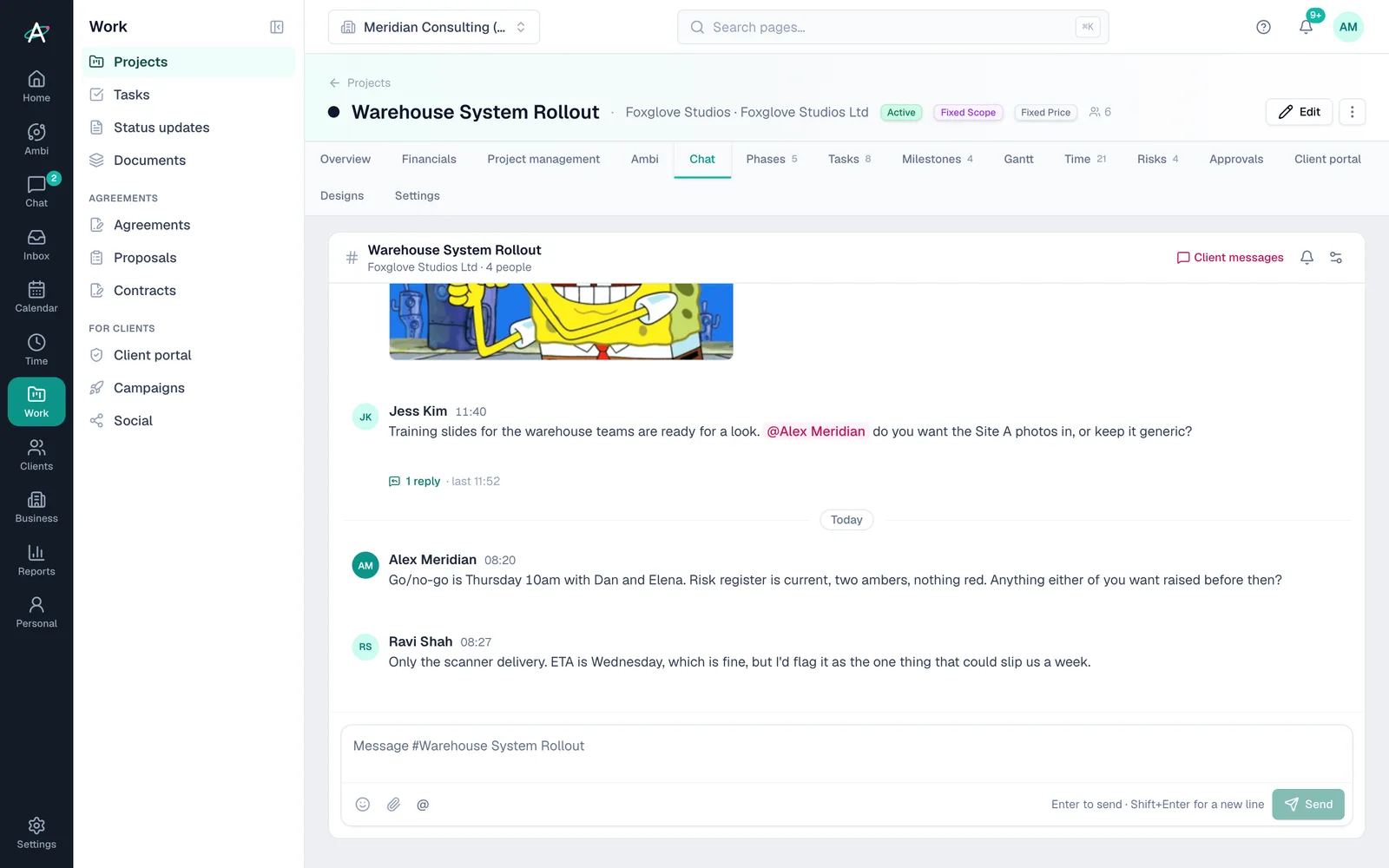
A project's Chat tab showing the project's channel in place

Project channels

Every live project has its own channel with the people on it. Finish the project and the channel is archived with it.

Threads

Reply in a thread and the channel stays readable. The channel shows how many replies and when the last one landed.

Make a task

Turn a message into a task with the message as its description and a link back to the conversation.

GIFs and files

Attach files, or pick a GIF. An admin chooses how far the GIF picker goes, separately for team chat and client messaging.

Notifications you choose

Every message, mentions only, or muted, per channel. Quiet channels stay quiet.

Guests and permissions

Guests from other firms see only the channels of projects they are on. Direct messages are private to the people in them.

Plans

Which plans include team chat

What each Ambital plan includes for team chat
FeaturePro · £39Business · £59Business Pro · £79Teams · £150
Team chat: channels, direct messages, threads, mentions, files and GIFsNot includedNot includedIncludedIncluded
Up to five people on full seats, with their own channels and messagesNot includedNot includedNot includedIncluded

Compare every feature by plan →

Questions about team chat

Before you switch off the chat tool

Which plan includes team chat?
Team chat is included on Business Pro and above: for one person with up to five guests on Business Pro, and for the whole team on Teams.
Does it replace Slack?
For a small firm, yes: channels, direct messages, threads, mentions, files, GIFs, search and notifications are all there, next to the work. What it doesn't do is voice and video calls, so a call still starts in Google Meet or Teams.
Can clients see team chat?
No. Team chat is for the people in your business and your guests. Clients keep their own messaging in the client portal, and each project channel links across to it.
What can a guest see?
Only the channels of the projects they are on, and any channel an admin adds them to. Not #general.
Do messages arrive live?
Within a few seconds while Chat is open. A desktop app with instant notifications is the next step.

A Tuesday morning in #rollout

  1. Ravi posts that the rehearsal went cleanly, with two things for the runbook.
  2. Alex replies in the thread and mentions Sam, the guest data engineer, to own the 02:00 checkpoint.
  3. Sam's dry-run result gets three reactions and a GIF.
  4. Jess asks whether the training slides should use the Site A photos. Alex makes it a task from her message.

Give your team one place to talk, next to the work

Ambital is in private beta. Apply to test and you'll get in first, with free months at launch for committed testers.

14 days free on Business Pro · No card required · Built in the UK