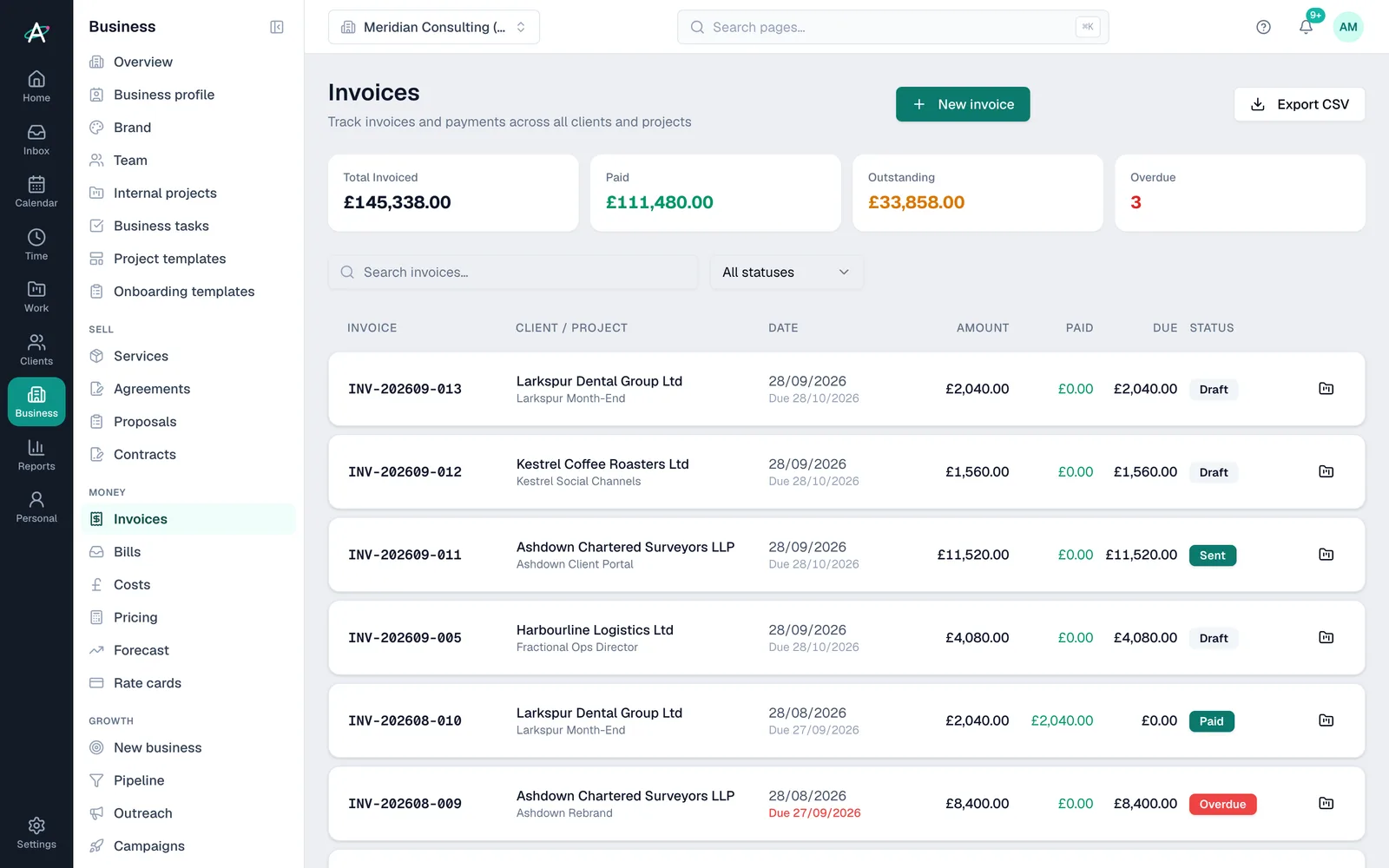
Invoices page
Every invoice across your clients, with totals invoiced, paid, outstanding and overdue, a status filter and a CSV export.
Invoicing · Business area
Ambital's invoicing turns logged time, fixed-fee schedules and retainer periods into invoices, then tracks each one from draft to paid, with overdue invoices flagged. Every plan supports every billing model. From Business it syncs with your accounting software (Xero today, with FreeAgent and QuickBooks coming): Ambital works alongside it rather than replacing it.
Where invoices come from
What happens next
How it works
Retainer, fixed price or time and materials, with your rates, the fee and any invoice schedule.
Time stays uninvoiced until it goes on an invoice, then it is marked invoiced so it is never billed twice.
Pull in uninvoiced time, a scheduled payment or the retainer fee, check the lines and save it as a draft.
Mark it sent, email it or push it to your accounting software. Paid and overdue invoices show on the Invoices page and in your Home brief.
Inside invoicing
Every invoice across your clients, with totals invoiced, paid, outstanding and overdue, a status filter and a CSV export.
Each project's invoices, invoiced against budget, and the value of time not yet invoiced.
Draft a month's invoices for every active retainer in one go, and bill hours over the allowance on an overage invoice.
Choose a VAT rate for each invoice, and raise a linked credit note against an issued one, capped at what is left to credit.
Connect your accounting software once for the organisation (Xero today, with FreeAgent and QuickBooks coming). Invoices are matched to projects, status changes flow through, and each one links to its accounting record. From Business.
Each client sees only their own invoices, and can open the online version or download a PDF. From Business Pro.
Plans
| Feature | Free · £0 | Pro · £39 | Business · £59 | Business Pro · £79 | Teams · £150 |
|---|---|---|---|---|---|
| Invoices for every billing model | Included | Included | Included | Included | Included |
| Unlimited invoices (Free has 3 a month) | Not included | Included | Included | Included | Included |
| Accounting software sync | Not included | Not included | Included | Included | Included |
| Invoices in the client portal | Not included | Not included | Not included | Included | Included |
Questions about invoicing
Ambital is in private beta. Apply to test and you'll get in first, with free months at launch for committed testers.
Free plan · No card required · Built in the UK