Week grid
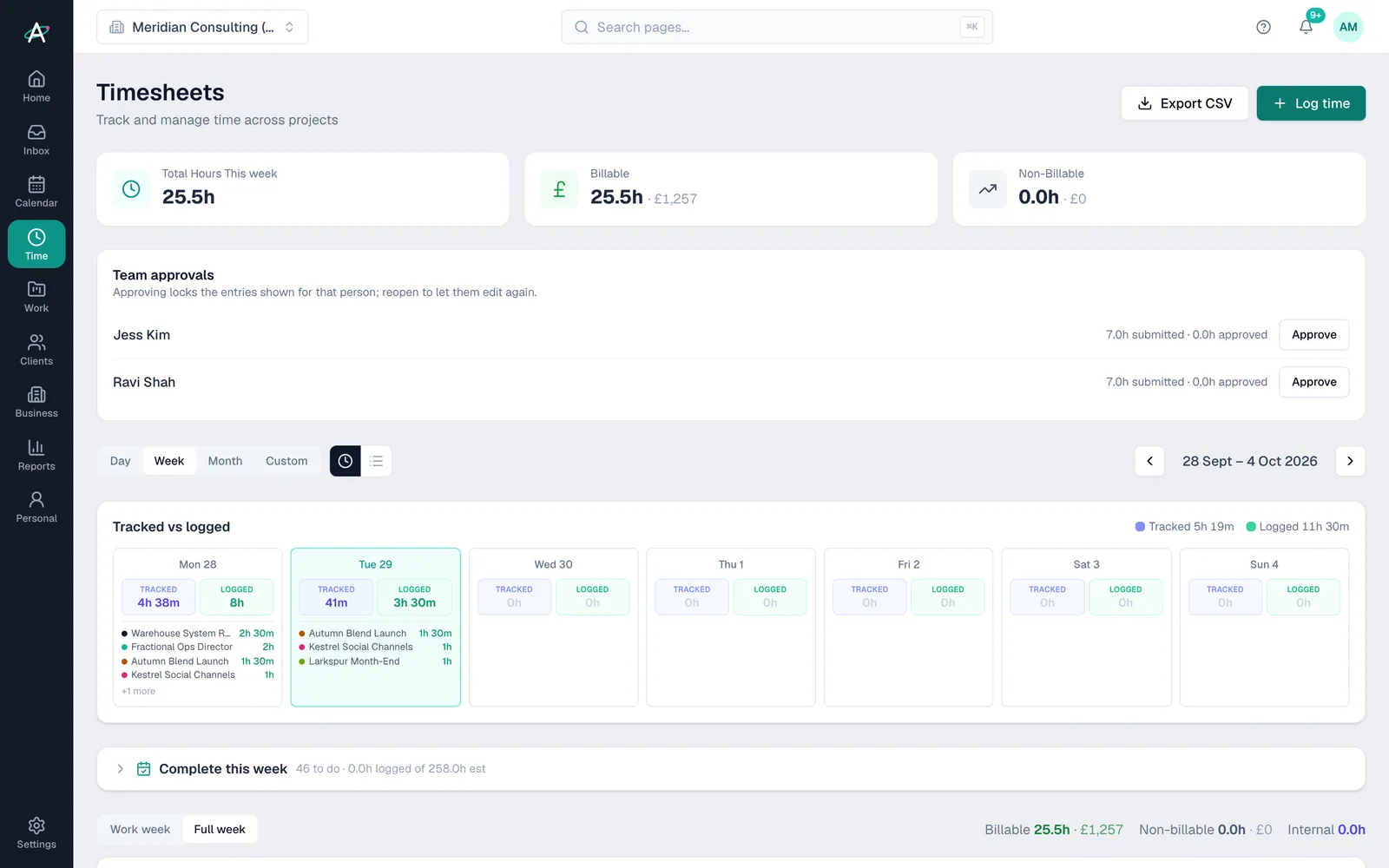
Projects down the side, days across the top. Switch to a single day, a month or a custom range, and export to CSV.
Timesheets · Time area
Ambital's timesheets let you log hours by the day or week against client work, your own business, a deal you are chasing or personal tasks. Each hour lands on its project, burning a retainer's allowance, counting against a fixed fee or becoming billable time, so budgets and margin stay current.
Where time can go
What the hours do
How it works
Open Log time, choose client, business, new business or personal, pick the project or task and enter the hours. Add a note for the invoice.
Log time from a task's detail panel while you work on it, or fill the gaps from My schedule.
The week view shows each day's hours by project, billable and non-billable, with tracked time beside it if you use the activity tracker.
Retainer balances, fixed-fee margin and uninvoiced time update as soon as the hours are saved.
Inside timesheets
Projects down the side, days across the top. Switch to a single day, a month or a custom range, and export to CSV.
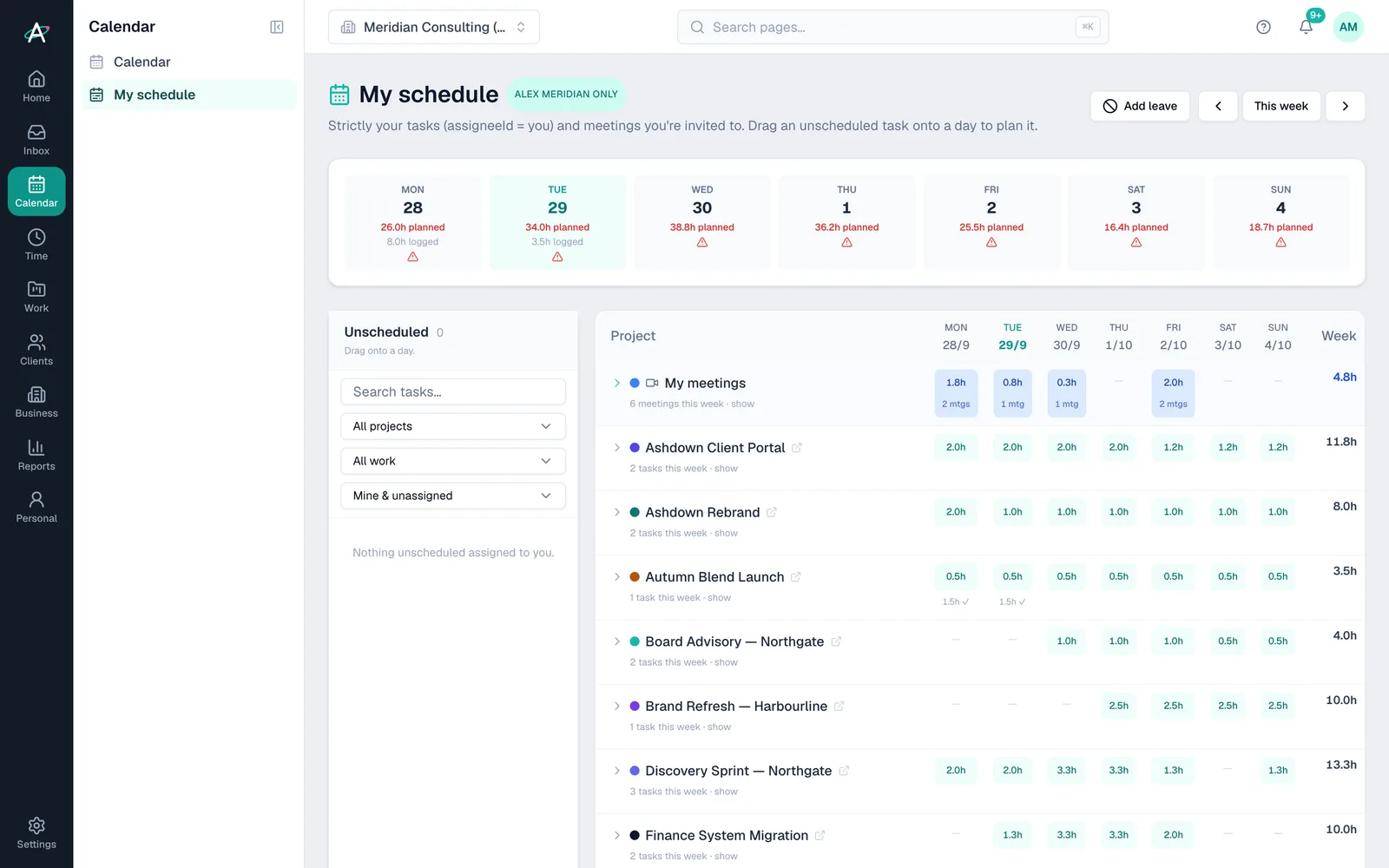
Plan the week against your meetings and capacity by dragging unscheduled tasks onto a day.
Pick annual leave, sick leave, a bank holiday or another kind, then a date range. One entry per working day, weekends skipped.
A small desktop app records which apps and windows were active. Drag tracked blocks onto tasks to log them. From Business.
Time tracked in the Early app syncs into your timesheets automatically, twice a day. From Business.
On Teams, each person submits their week and an admin approves it. Approved weeks lock for everyone except admins.
Plans
| Feature | Free · £0 | Pro · £39 | Business · £59 | Business Pro · £79 | Teams · £150 |
|---|---|---|---|---|---|
| Timesheets, week grid and CSV export | Included | Included | Included | Included | Included |
| Log time to Personal workspace tasks | Not included | Included | Included | Included | Included |
| Desktop activity tracker and Early sync | Not included | Not included | Included | Included | Included |
| Timesheet approval across the team | Not included | Not included | Not included | Not included | Included |
Questions about timesheets
Ambital is in private beta. Apply to test and you'll get in first, with free months at launch for committed testers.
Free plan · No card required · Built in the UK