Companies and contacts
One address book for everyone you work with — typed by relationship, so billing only appears where it makes sense.
The CRM section is Ambital's address book: every company you deal with and the people at each. What makes it more than a list is the kind on each company — it says what the relationship is, and the rest of the app behaves accordingly.
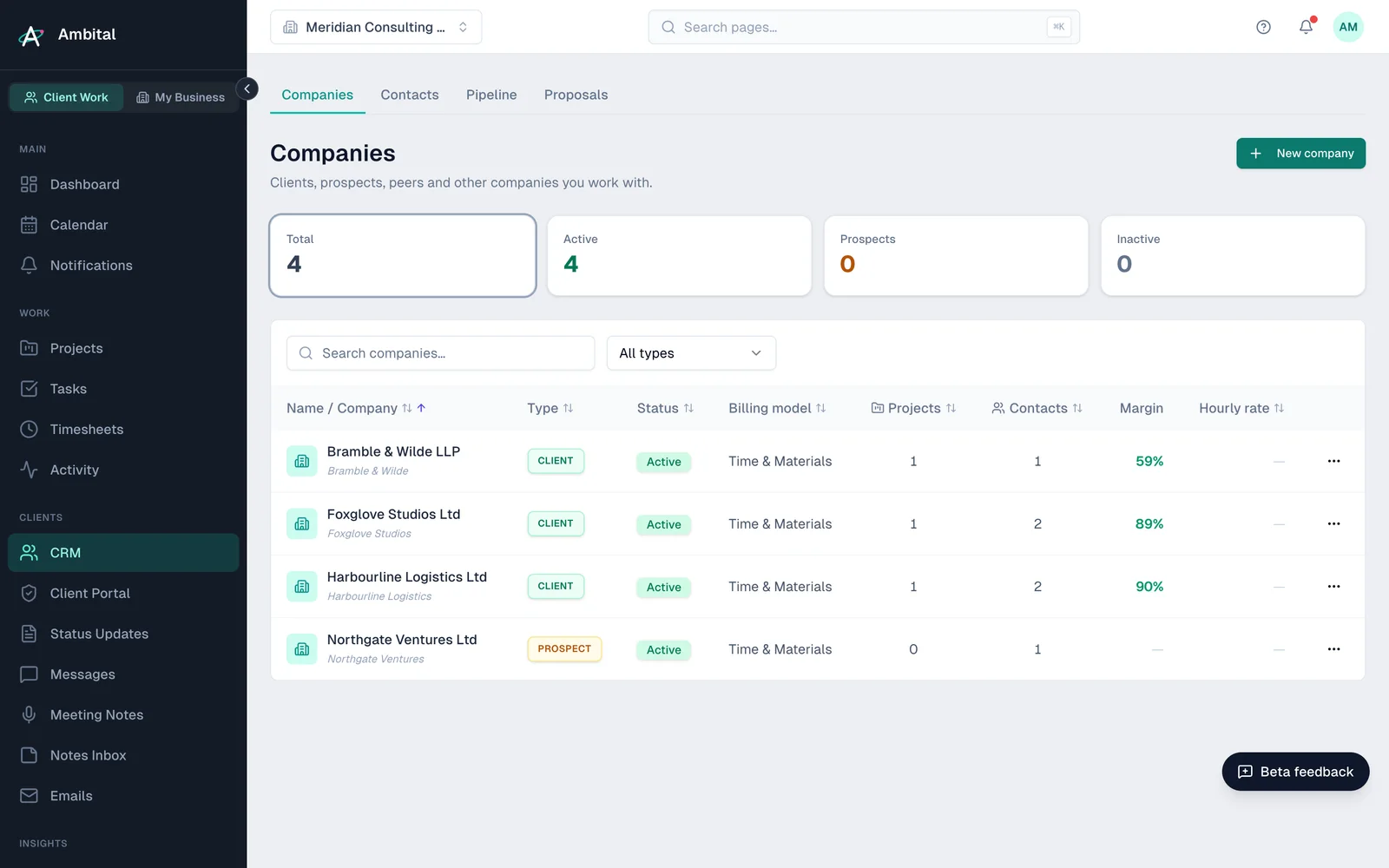
Company kinds
| Kind | What it means |
|---|---|
| Client | Someone you bill. Projects, invoices and margins hang off clients. |
| Prospect | Someone you hope to bill — lives on the pipeline until won. |
| Partner | A business you collaborate or refer with. |
| Connection | Your wider network — people worth staying close to. |
| My vendor | A supplier you pay. Their bills feed your own cost picture. |
| Client's vendor | A supplier owned by one of your clients — the company record says which client it belongs to. Useful when you manage a client's suppliers on their behalf. |
| Other | Everything else. |
Billing details — billing model, rates, margin — only appear on kinds you bill (clients and prospects). Vendors and connections keep a deliberately simpler record.
Both lists can be filtered by type and status, and the companies list can be grouped by either — pick Group by type or Group by status next to the search box. Companies with proposals still in play show an open proposals count; click it to jump to those proposals.
Creating a company
Add companies from the CRM, or let them arrive naturally — winning a prospect converts it to a client, and creating a client project can create the client with it. For UK companies, the Companies House lookup pre-fills registered details from the company number, on every plan.
Contacts
Contacts are the people, each linked to their company. They power more than email addresses: meeting attendees match to contacts, the portal invites go to contacts, and a contact's threads and meetings show up against the right projects. The list is grouped by company, with each company's type and status shown on its header row.
Portal access
Portal access is per project, not a single switch. Editing a contact lists their company's active projects with a toggle for each portal — anything they already have access to stays listed so it can be revoked, even if the project is no longer active. Granting access adds the contact to that project's team; send their sign-in invite from the project's People tab.
Changing a kind
Relationships change — a connection becomes a prospect, a prospect becomes a client. Edit the company and change its kind; history stays put. The one to get right early is Client vs everything else, because billing data only exists on billable kinds.
Tip: resist creating companies for one-off encounters. The CRM works best when everyone in it is someone you'd recognise on a call sheet.
Where this fits
Part of how Ambital runs finance and month-end retainers. Each page shows how the project is set up, what it looks like, and the integrations that fit.
Last updated 9 September 2026
Still stuck? Raise a ticket from Help & support inside Ambital and we'll reply by email.