The pipeline
Track prospects from first contact to won — with a weighted view of what's really coming.
The Pipeline page tracks work you haven't won yet. Each prospect is a potential engagement for a company, moving through stages until it's won or lost — and because each stage carries a probability, the dashboard can show weighted pipeline value rather than wishful totals.
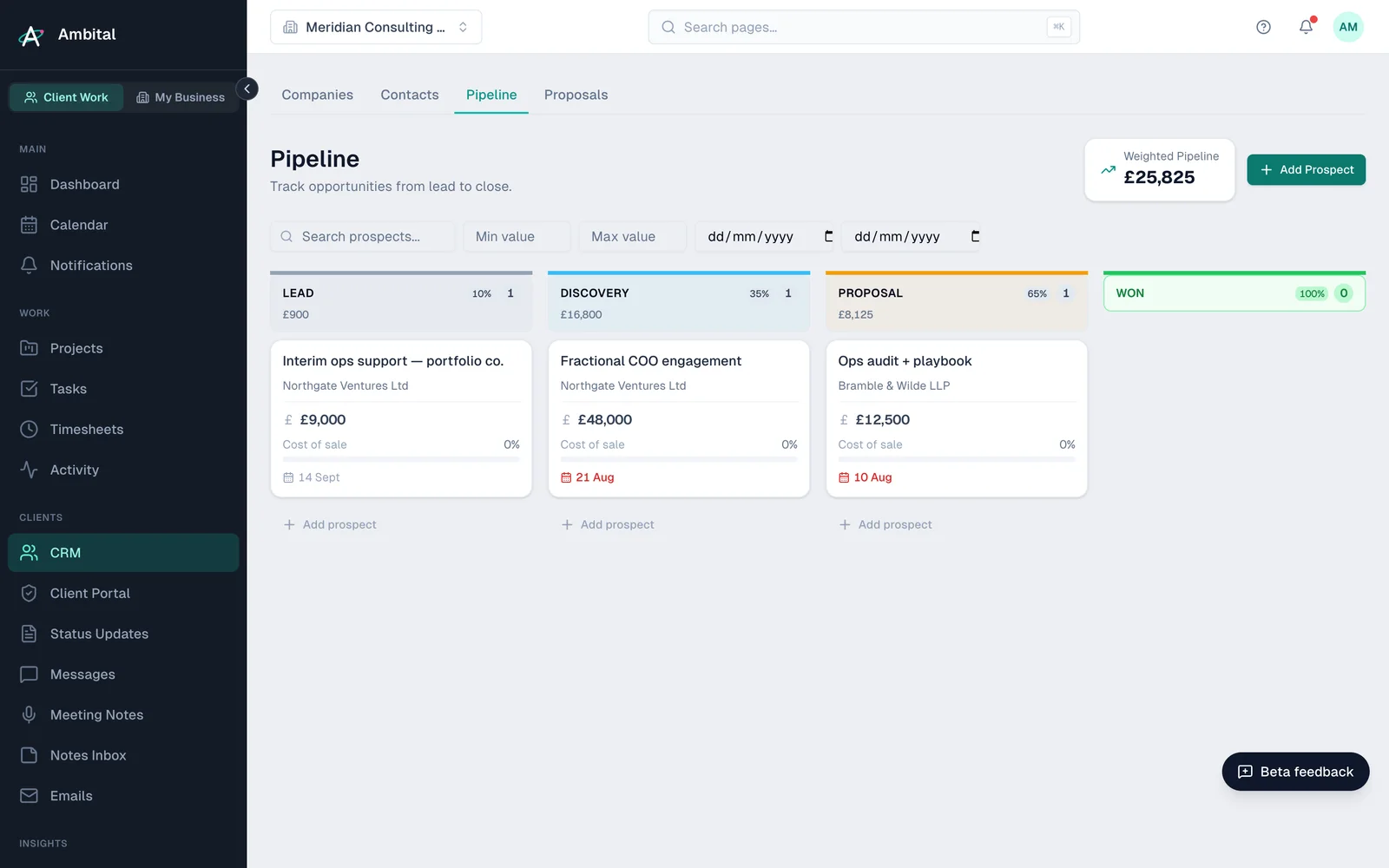
Stages
Your organisation starts with a sensible default set — from Lead Identified through Initial Contact, Meeting Arranged, Discovery/Scoping, Proposal Sent and Negotiation to Won and Lost — each with a colour and a win probability. Rename, recolour, reorder or re-weight them to match how you actually sell.
Working a prospect
Drag prospects between stages as things progress. A prospect record collects everything about the chase in one place — notes, files, a checklist, and its history of stage moves, so you can see how long things sat where.
Tasks and time can attach to a prospect too, which means the effort you spend winning work is visible even before there's a project to bill it to.
Winning (and losing)
- Won — convert the prospect into a real project (and its company into a Client if it wasn't one already). The engagement carries straight on where the chase left off; see Creating a project.
- Lost — record a win/loss reason. Over time those reasons become one of the more honest reports in the app.
Proposals
A prospect at the proposal stage usually has an actual proposal attached — see Proposals, contracts and briefs.
Tip: keep the pipeline honest. A stale prospect in Negotiation for four months flatters your weighted number — move it or lose it, and the dashboard starts telling you the truth.
Where this fits
Part of how Ambital runs audits and assessments and packaged services. Each page shows how the project is set up, what it looks like, and the integrations that fit.
Last updated 8 September 2026
Still stuck? Raise a ticket from Help & support inside Ambital and we'll reply by email.