Retainers and rollover
Periods, allowances, rollover with expiry, and closing a month properly.
A retainer project gives the client an agreed number of hours per period for a recurring fee. Ambital keeps the score: each period's allowance, the hours burned against it, and — if you allow it — unused hours rolling forward.
Find it on the project under Financials → Retainer.
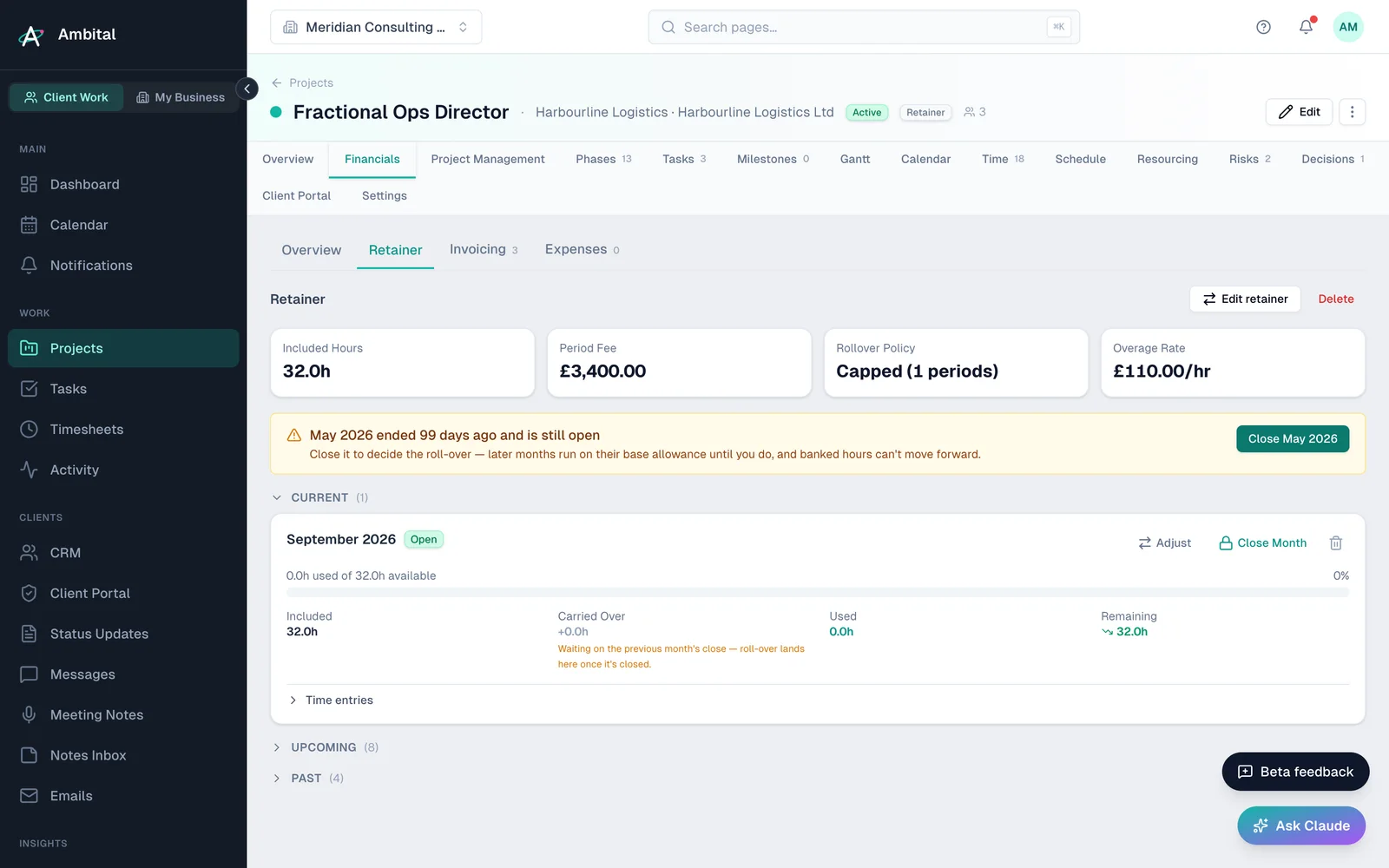
Periods and burn
Each period (usually a month) shows its allowance and the time logged against it, straight from timesheets — there's nothing separate to maintain. As the team logs time, the period's remaining hours count down in real time.
Rollover, done honestly
Rollover is on the Business plan and above. Retainers, allowances and overage work on every plan. On Free and Pro, unused hours don't carry forward: the rollover setting stays on "None", and closing a period can't bank new hours. If you move down from Business, hours you've already carried forward are still honoured until they're used or expire.
If your agreement lets unused hours carry forward, Ambital tracks rollover as lots: each unused parcel remembers which month it came from and when it expires. That means:
- "Use it or lose it within 3 months" is enforceable, not a spreadsheet promise.
- When hours are consumed, you can see exactly which month's leftover paid for them.
- Expired hours drop away on their own instead of accumulating into an awkward conversation.
Closing a period
When a period ends, an admin closes it from the Retainer tab. Closing is where the decisions live:
- Review the period's usage.
- Choose what happens to unused hours — roll them forward (into a new lot with its expiry, on Business and above) or write them off up to the cap you've agreed.
- Close. The period locks, and the next one carries on.
Closed the wrong thing? Reopening a period unwinds it cleanly — the rollover decisions are reversed, not fudged.
What the client can see
The portal has an optional Retainer statement — hours in, hours used, hours remaining. It's hours-only (no rates or internal costs), and it's off by default: you switch it on per project when you want the client self-serving their "how many hours do we have left?" question.
Note: closing periods and changing retainer configuration are admin-only actions. Team members see the numbers; admins make the calls.
Where this fits
Part of how Ambital runs advisory and coaching retainers, finance and month-end retainers, social media management and paid ads management. Each page shows how the project is set up, what it looks like, and the integrations that fit.
Last updated 29 September 2026
Still stuck? Raise a ticket from Help & support inside Ambital and we'll reply by email.